
React, reply, edit, forward and delete messages
When you hover over a message, buttons appear on the right: Add Reaction, Reply to Message, Edit Message on your own messages, and ⋯ (more). The ⋯ menu (or a right-click on the message) has quick reactions, Forward Message, Pin Message, copy options, Delete Message and Report. You can only edit your own messages; there is no time limit, and edited messages get an "(Edited)" label. Deleting can't be undone.
Opening the message menu
Hover over the message
Quick buttons appear on the right of the message: Add Reaction, Reply to Message, Edit Message (only on your own messages) and ⋯.
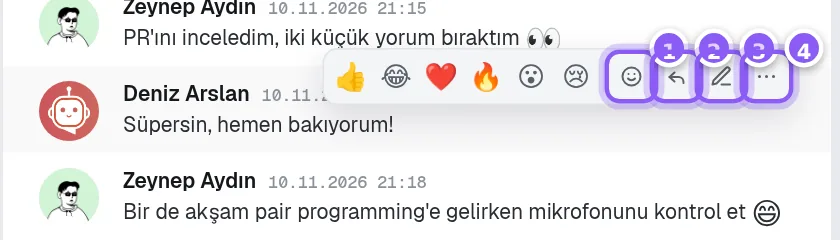
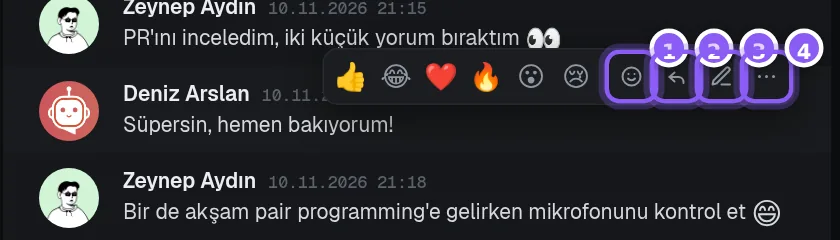
Open the menu with ⋯ or a right-click
While the menu is open, shortcuts work: R add reaction, E edit, Y reply.
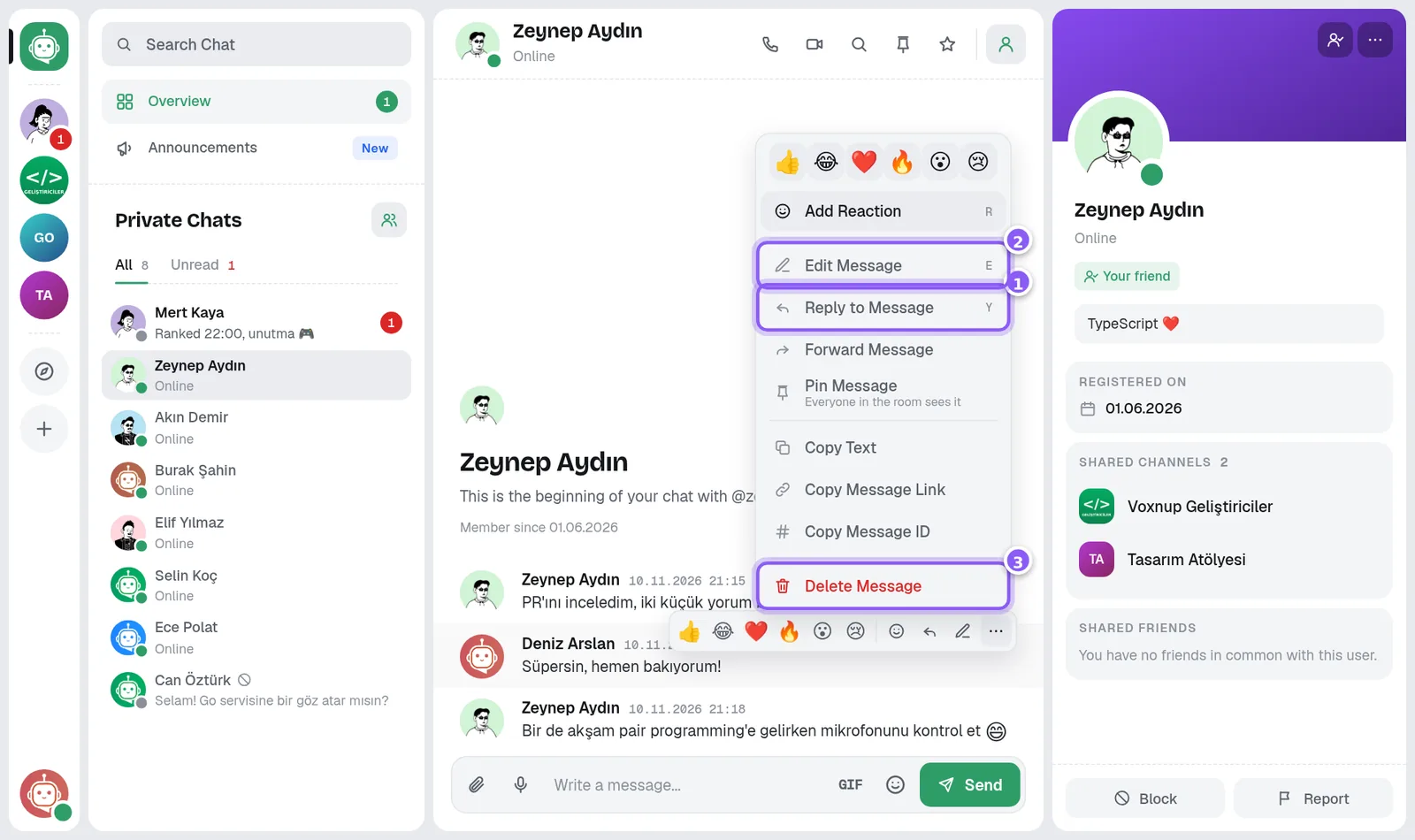
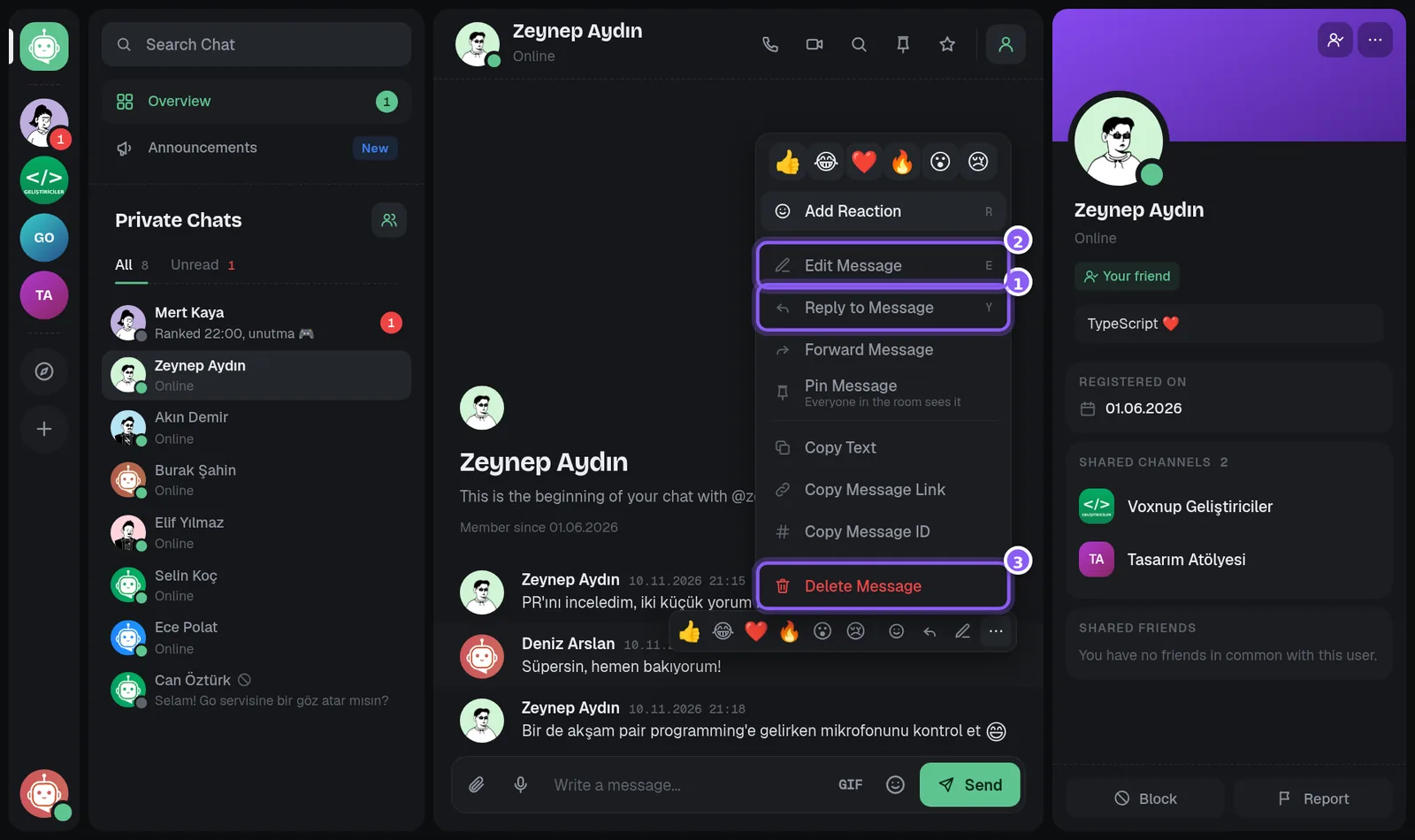
What's in the menu?
| Option | What it does |
|---|---|
| Quick reactions 👍 😂 ❤️ 🔥 😮 😢 | Adds a reaction in one click. Pressing the same reaction again removes it. |
| Add Reaction | Lets you choose from all emoji; in a channel the channel's emoji appear too. |
| Reply to Message | A "Replying to Message" bar opens above the message box; your message is sent with a quote. |
| Edit Message | The message moves into the message box; change it and press Enter. To cancel, press the cross on the right of the bar. |
| Forward Message | Sends the message to another direct message, group or channel room ("Search chats or rooms"). |
| Pin Message | Adds the message to the chat's pinned messages; everyone in the room can see it. |
| Copy Text / Copy Message Link | Copies to the clipboard. |
| Delete Message | Deletes the message for everyone after the confirmation "Are you sure you want to delete this message? This action cannot be undone." |
| Report | Reports the message to the Voxnup team. See Reporting. |
Who can do what?
- Everyone can edit and delete only their own messages.
- In channels, people whose role has the Manage Messages permission can also delete other people's messages; the menu shows Delete Message (moderator).
- In channels, adding reactions needs the Add Reactions permission.
- On a message with reaction roles, reacting with a paired emoji can give you a role, and removing the reaction can take it away.
- In channels you can pin your own messages; pinning someone else's needs the Pin Messages permission.
Frequently asked questions
Is there a time limit for editing?
No. You can edit your own message at any time; edited messages say "(Edited)".
Can I restore a deleted message?
No, deleting can't be undone.
How do I find out someone reacted to my message?
You get a notification while Settings → Notifications → Reaction Notifications is on. See Notification settings.