
How do I report a user, message, room or channel?
To report a user, message, room or channel that breaks the rules, choose the matching option from its menu (Report User, Report on a message, Report Room, Report Channel). In the window that opens, pick a reason (Spam, Abuse / Harassment, Hate / Violence, Impersonation / Fraud, Sexual Content, Illegal / Dangerous Content, Other), optionally write up to 1000 characters of details and click Report. Only the Voxnup team sees your report; the reported person is not told who reported them.
Reporting a message
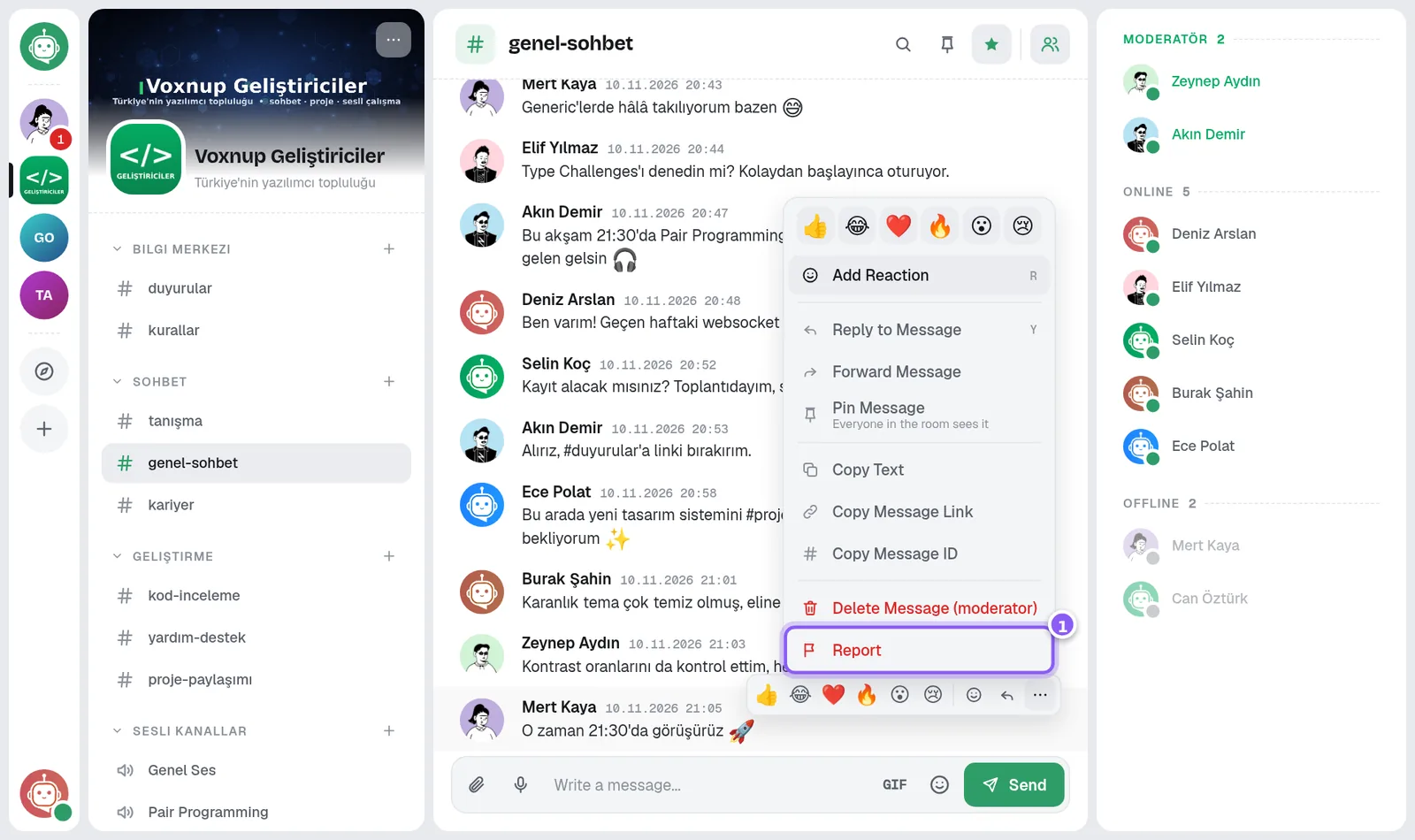
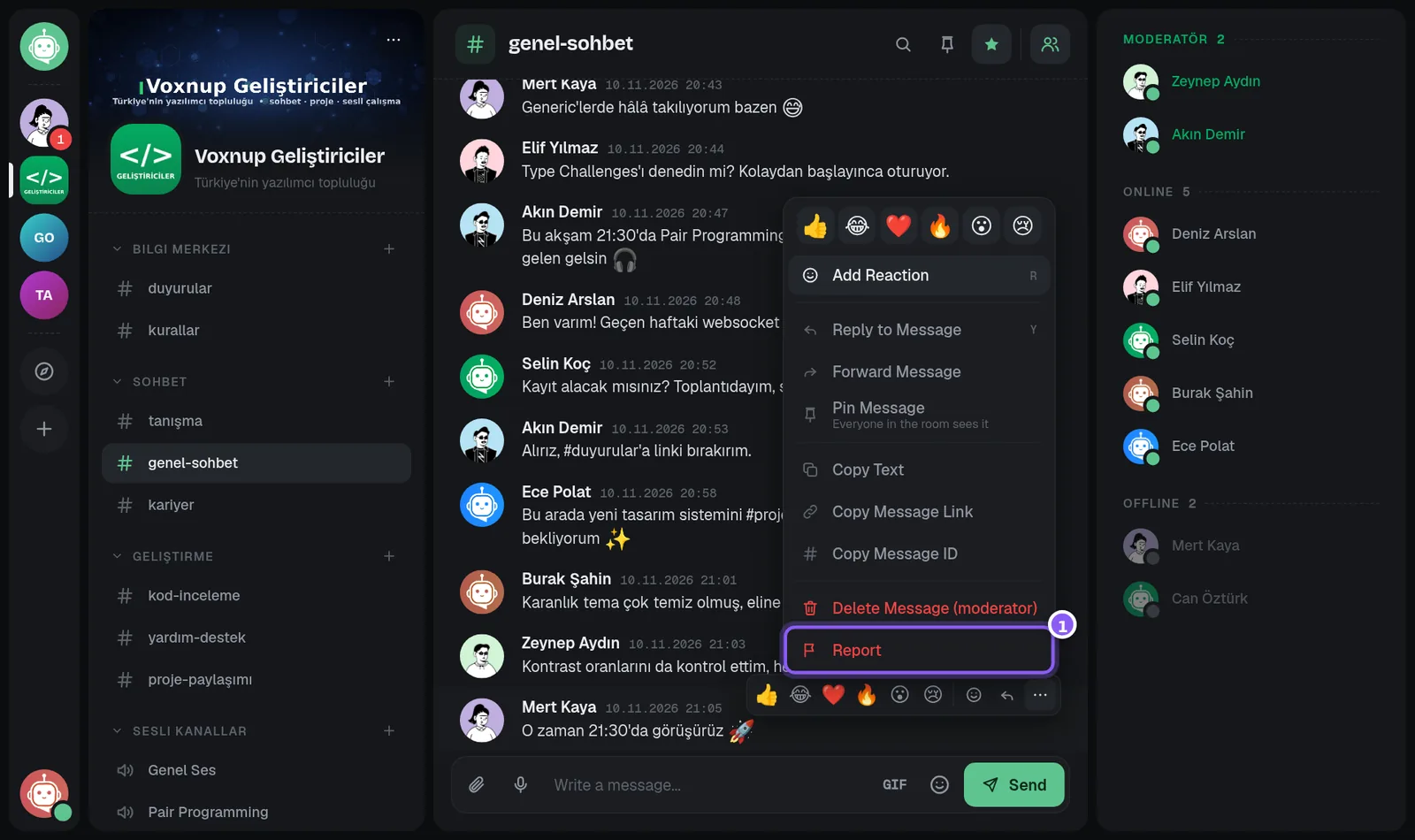
Choose Report from the message menu
Hover over the message, click the ⋯ button (or right-click the message) and choose Report.
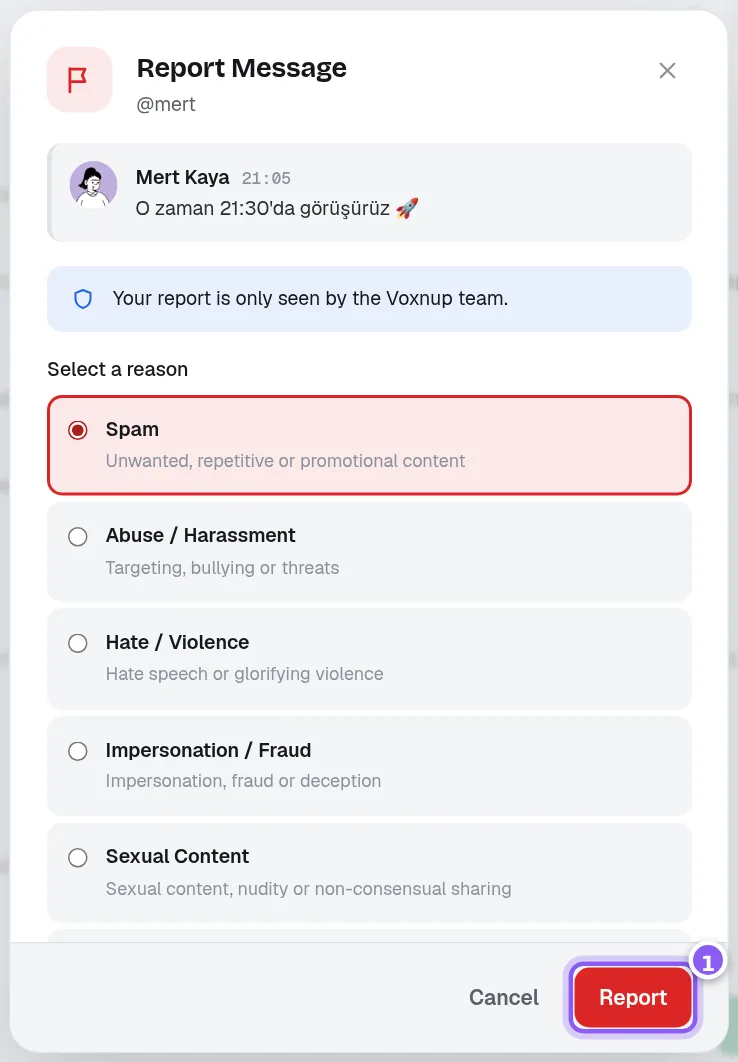
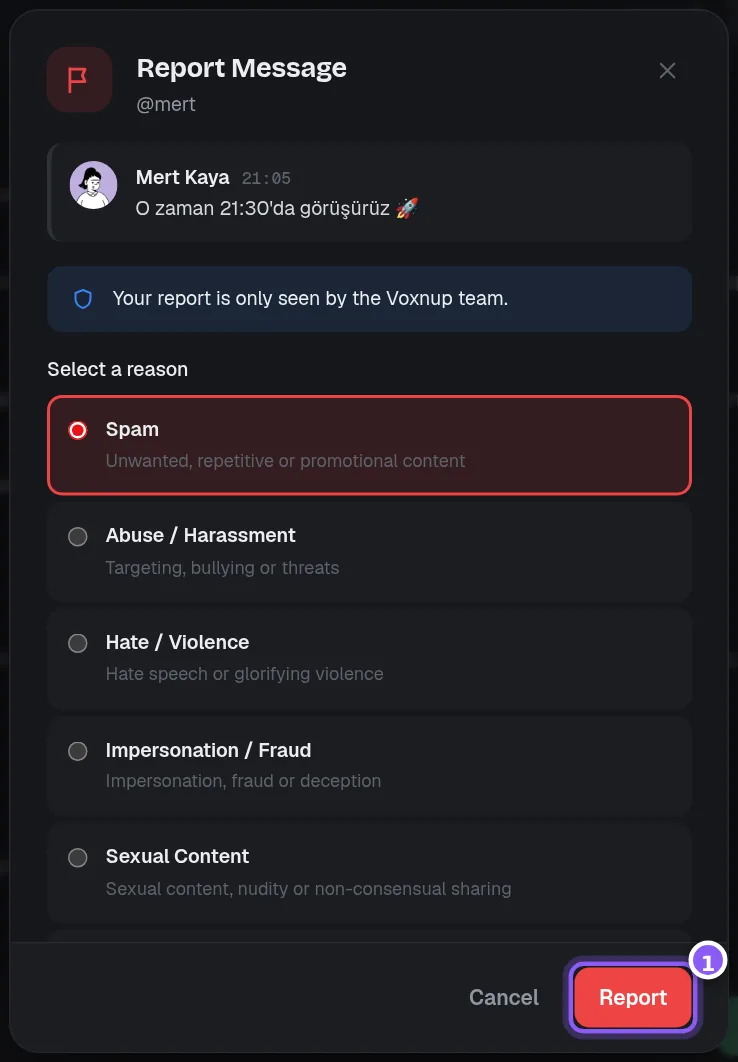
Pick a reason and send
Tick the situation under Select a reason. Describe what happened in Additional details (optional). Optionally tick Also block the message author. Click Report; a "Report submitted successfully." notification appears.
What do I report from where?
| What | Where |
|---|---|
| User | Right-click the person → Report User; or Report in the profile panel of a direct message |
| Message | The message's ⋯ menu or right-click → Report |
| Room | Right-click the room in the channel → Report Room |
| Channel | Channel menu (⋯ on the banner or right-click the channel on the rail) → Report Channel |
| Group | Report in the group info window |
What happens after I report?
- The report is sent to the Voxnup team and reviewed. Only the Voxnup team sees it.
- The message you reported is hidden on your screen; it shows "You reported this message" instead, and you can show it again if you want. It stays visible to others until the review is finished.
- Reporting the same thing again within 24 hours doesn't create a new report.
- You can't report yourself, your own message, your own room or your own channel.
If someone is threatening your life or safety, or there is an immediate danger, call your local emergency number first. Voxnup reports are not an emergency line.
Frequently asked questions
Will the person I reported find out?
No. Only the Voxnup team sees your report.
Why can't I click the Report button?
You need to pick a reason first; the button stays disabled until you do.
Can I find out the result of my report?
To add information or ask about it, email support@voxnup.com.