
How do I turn on two-factor authentication (2FA)?
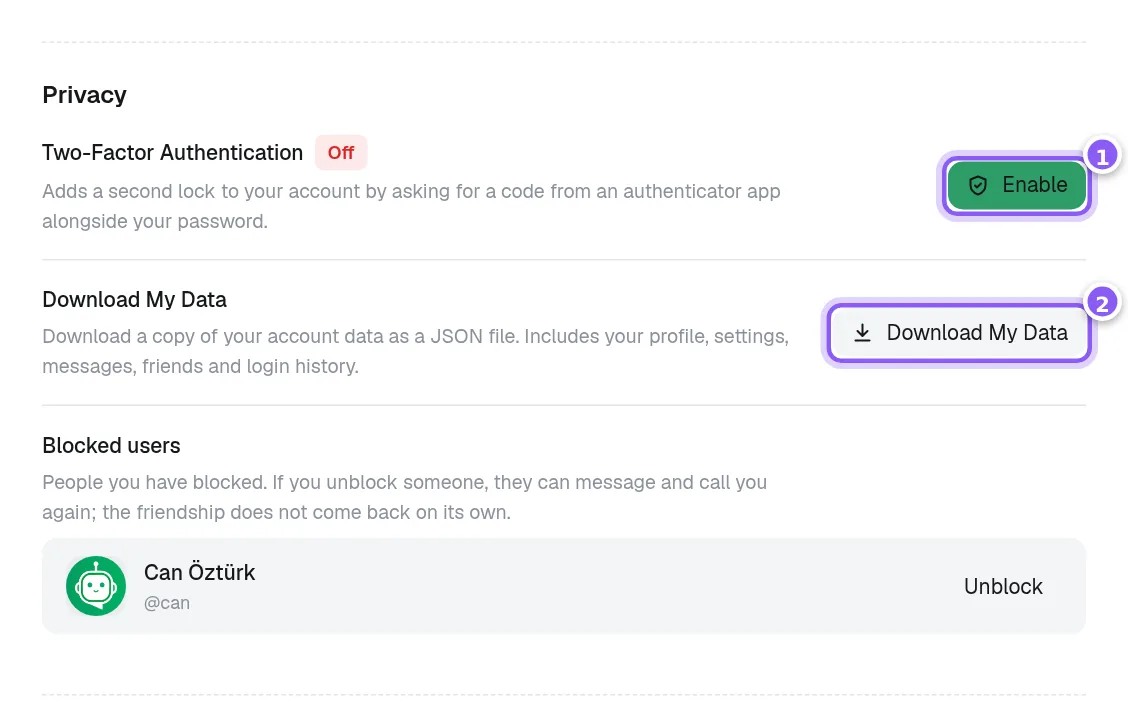
In Settings > Account Settings > Privacy, press Enable in the Two-Factor Authentication row. Scan the QR code with an app such as Google Authenticator, Authy or 1Password, enter the 6-digit code from the app and press Verify. Then save the 10 recovery codes shown; this screen is not shown again. From then on, sign-in asks for this code in addition to your password.
Turn on two-factor authentication
Open the Privacy section
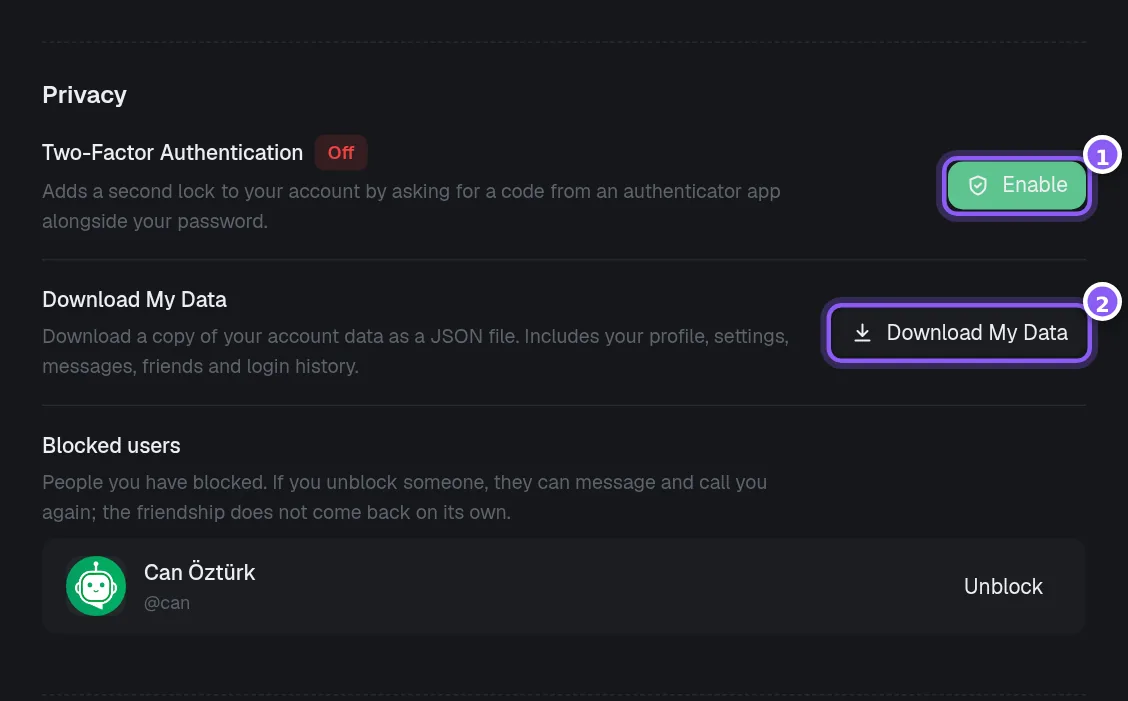
Click your avatar at the bottom left and choose Settings. In Account Settings, scroll to the Privacy section. The status label reads Off.
Press Enable
Press the Enable button in the Two-Factor Authentication row (1).
Scan the QR code
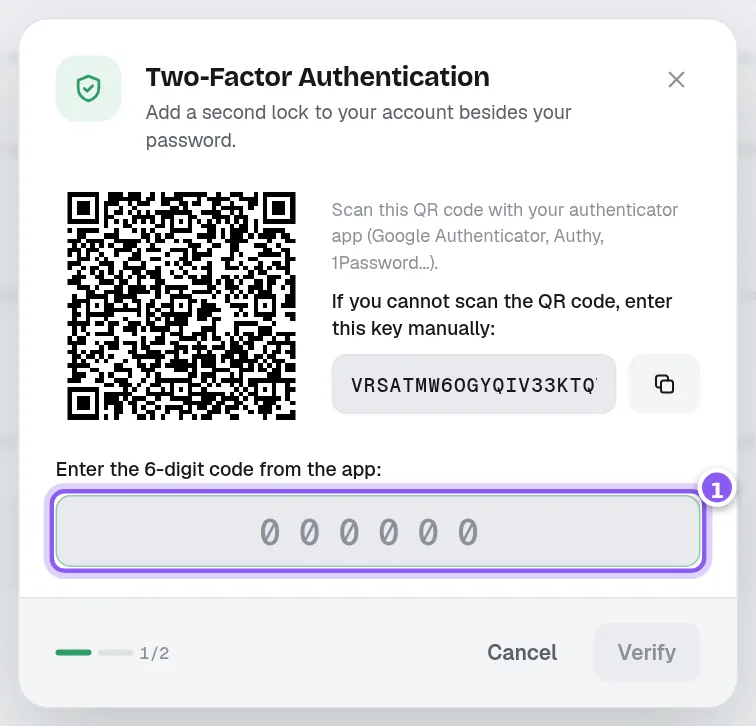
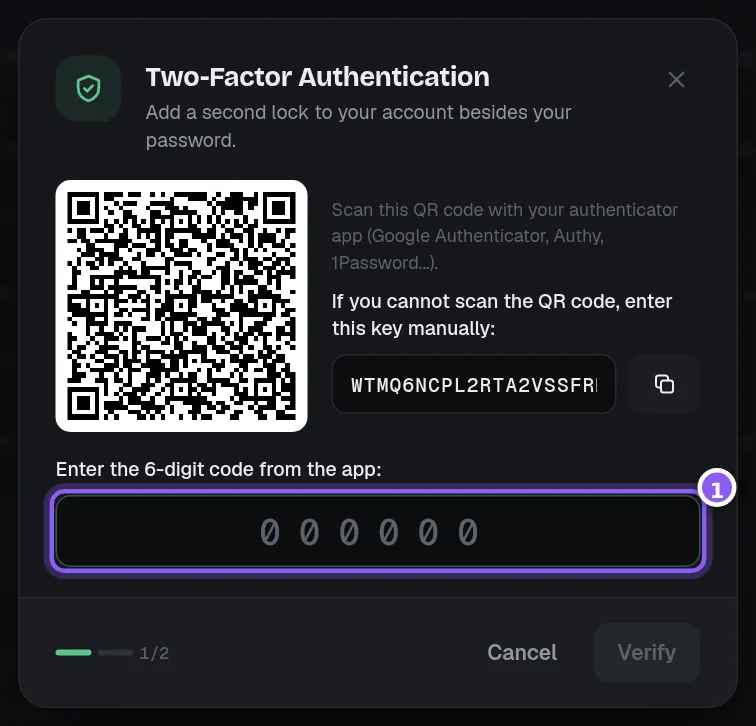
Scan the QR code with the authenticator app on your phone (Google Authenticator, Authy, 1Password and so on). If you can't scan it, copy the key next to it and enter it in the app manually.
Enter the 6-digit code
Type the 6-digit code from the app in the Enter the 6-digit code from the app: field and press Verify. The code changes every 30 seconds.
Save your recovery codes
The Recovery Codes screen shows 10 codes. Copy them with Copy and save them in your password manager or another safe place, then press I saved them, close. These codes are not shown again; if you lose your phone, they are the only way into your account.
Signing in after you turn it on
After your password, sign-in asks for a Verification code: enter the current code from your app. If your phone isn't with you, click Can't reach your phone? Use a recovery code and enter one of your recovery codes; each code works once. Social sign-in asks for the code too.
Turn off two-factor authentication
Press Disable
In the same place, while the status is On, press Disable.
Enter your password
Type your password in the Enter your password to disable two-factor authentication: field and confirm. Your recovery codes are deleted too.
If you are running low on recovery codes or lost them, turn 2FA off and on again: you get a new QR code and 10 new recovery codes. Remember to delete the old entry from your authenticator app.
Frequently asked questions
I lost my phone and I don't have my recovery codes
You can't sign in to your account. Email support@voxnup.com with your username.
It says "Invalid code. Please try again."
If your phone's clock isn't set automatically, the codes won't match. Set the time to "automatic" and enter the latest code from the app. At sign-in you can try at most 5 codes in 5 minutes; if you exceed that, wait a moment and try again.
I signed up with a social account and it asks for a password to turn it off
First set a password with Forgot password, then use it to turn 2FA off.
Is there SMS verification?
No. Two-factor authentication works with an authenticator app (TOTP).