
How do I change my account's email address?
In Settings > Account Settings > Account Information, press Change in the Email row. Enter New Email and Current Password and press Send Verification. The change takes effect when you click the link sent to the new address; the link is valid for 1 hour. Your old address also receives a notification email.
Change your email address
Open Account Information
Click your avatar at the bottom left, choose Settings and scroll to Account Information in Account Settings. For security, your email is shown masked (for example d***z@…).
Press Change
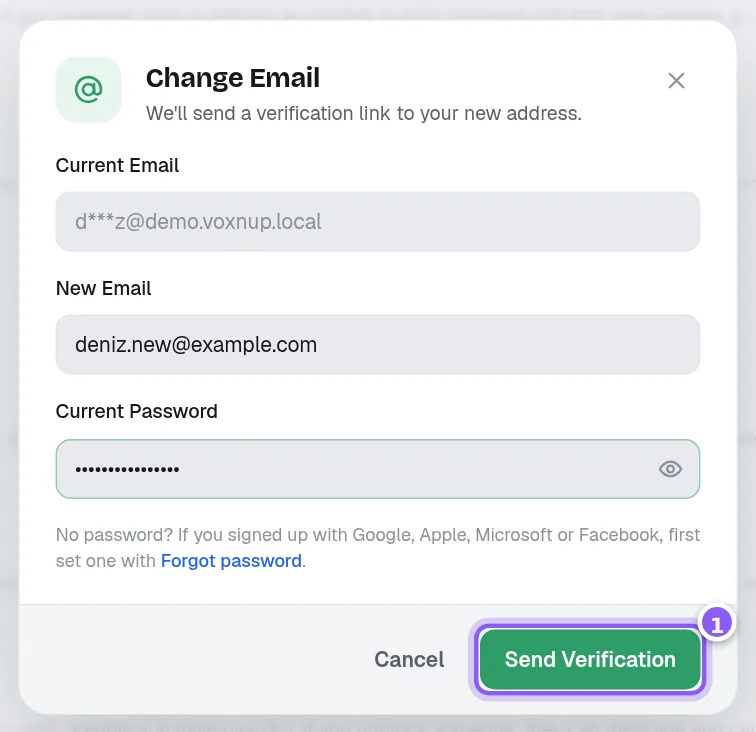
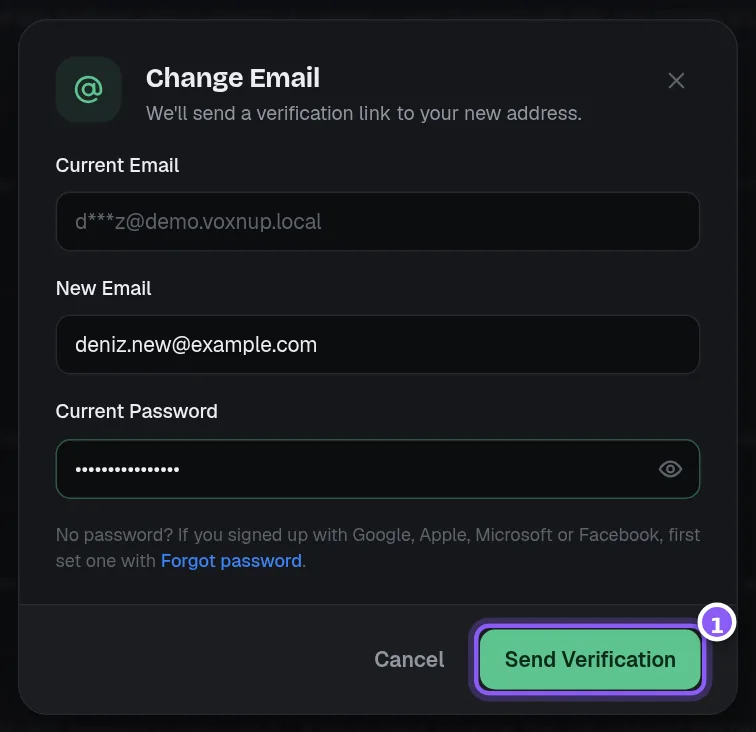
The Change button in the Email row opens the Change Email window.
Enter the new address and your password
Type your new address in New Email and your password in Current Password, then press Send Verification.
Click the link at your new address
"We sent a verification email to your new address. Your email changes when you click the link; the link is valid for 1 hour." When you click it, your account's email changes; from then on you sign in with the new address.
Possible errors
| Message | Meaning |
|---|---|
| The password you entered is incorrect. | You mistyped your current password. After 5 wrong attempts in 15 minutes you have to wait. |
| The new email address cannot be the same as your current one. | You typed the same address. In Gmail, dots and + suffixes count as the same address. |
| This email address is already registered. | This address is used by another Voxnup account. |
| Too many attempts. Please wait a moment and try again. | At most 5 verification emails are sent per hour. |
If you have no password (you signed up with Google, Apple, Microsoft or Facebook), set one first with Forgot password, as the window says. Guest accounts can't change their email; claim your account first.
Frequently asked questions
The verification email didn't arrive
Check the spam folder of your new address. The link expires after 1 hour; in that case start again.
I got a notification at my old address but I didn't request it
Someone may have accessed your account. Change your password right away, close all sessions in Devices and email support@voxnup.com.