
How do I delete my Voxnup account?
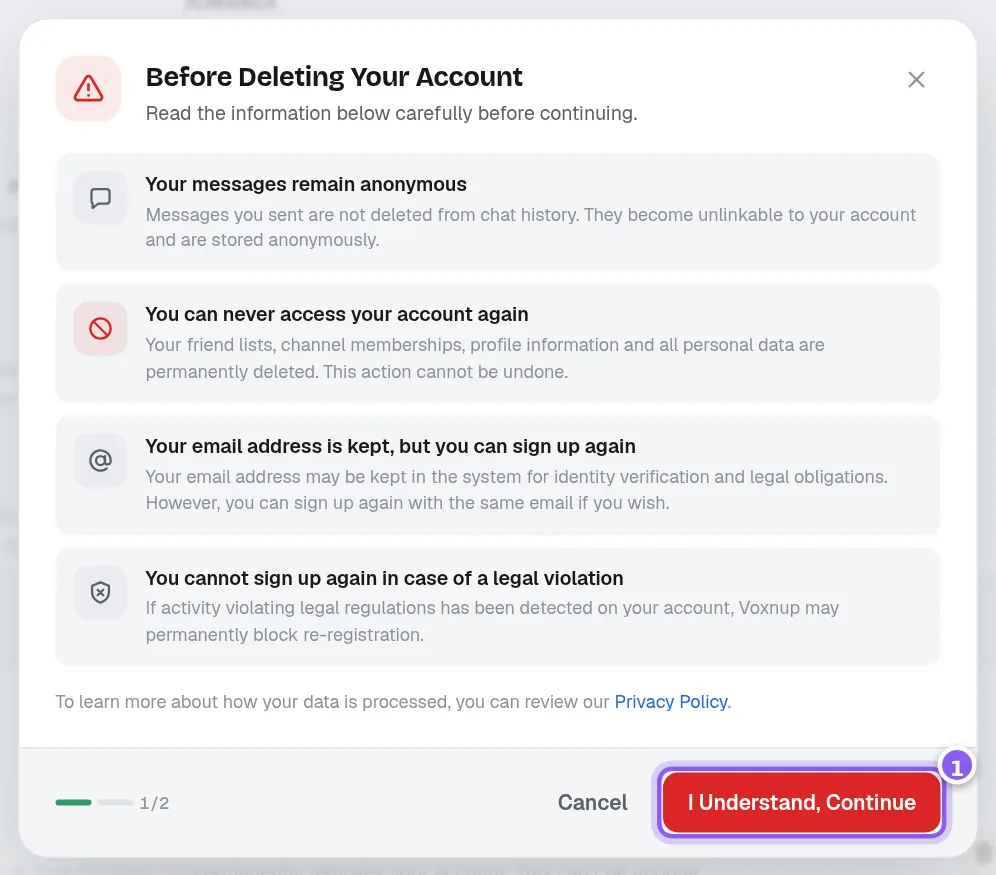
Click your avatar at the bottom left and open Settings; in Account Settings > Danger Zone, press Remove Your Account. Read the Before Deleting Your Account warnings and press I Understand, Continue; in the Final Step, enter your password and press Permanently Delete My Account. Your display name becomes "Deleted User", your profile details, friends and channel memberships are deleted, and the messages you sent remain anonymously. This can't be undone.
This can't be undone. If you want, download your data before deleting. Channels you created are not deleted with your account; delete the channels you want to close in Channel Settings first.
Delete your account
Open Settings
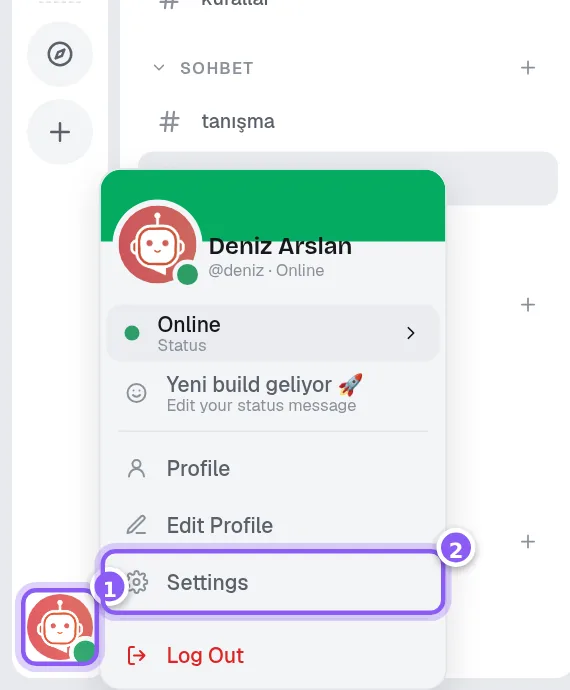
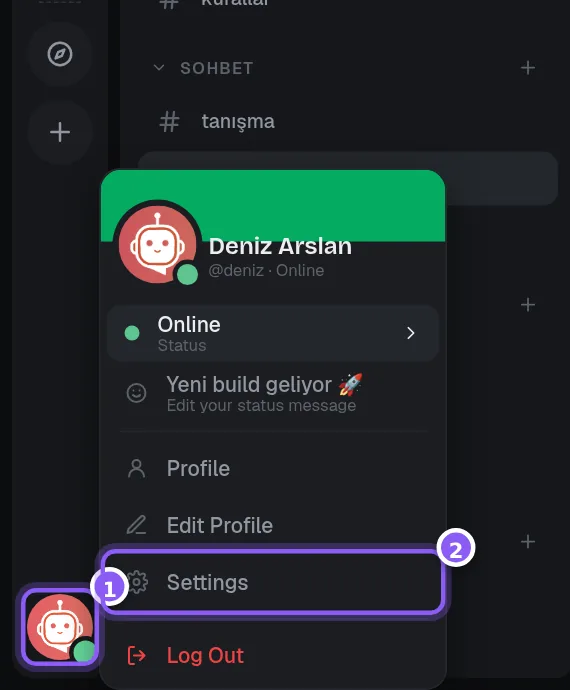
Click your avatar at the bottom of the left rail (1) and choose Settings (2).
Press Remove Your Account in Danger Zone
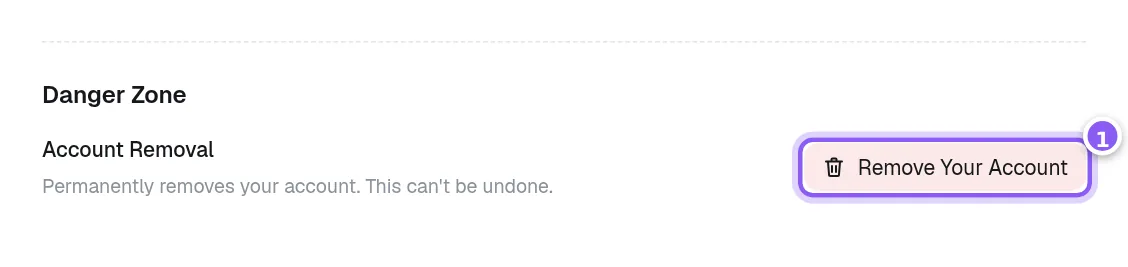
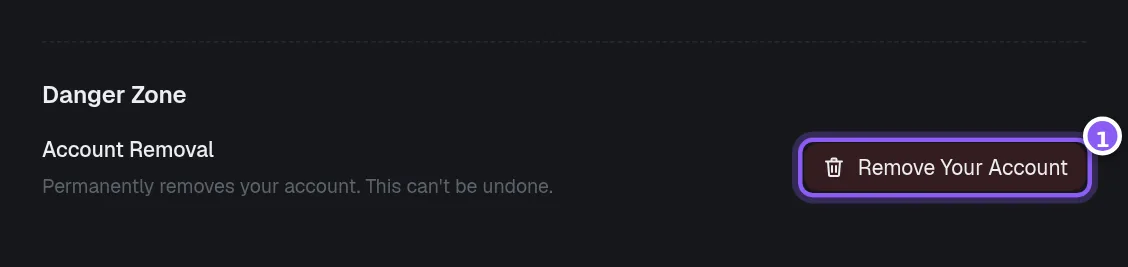
In Account Settings, go to Danger Zone in the sub-list on the left. Press the Remove Your Account button in the Account Removal row.
Read the warnings and continue
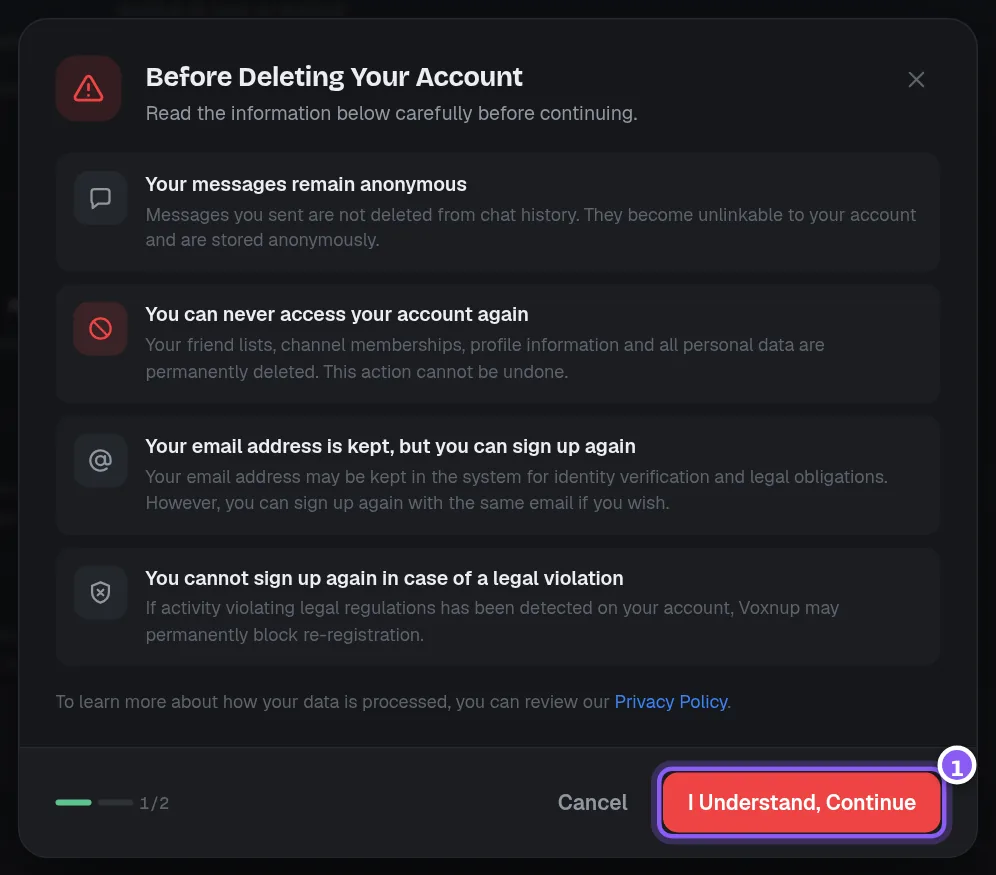
The Before Deleting Your Account window explains what will happen. After reading it, press I Understand, Continue; to back out, press Cancel.
Enter your password and delete permanently
In the Final Step, type your password and press Permanently Delete My Account. You are signed out and taken to the home page.
What happens when you delete?
| Data | What happens |
|---|---|
| Display name | Becomes "Deleted User". |
| Avatar, banner, status message, About Me | Deleted. |
| Phone number, date of birth | Deleted. |
| Google/Apple/Microsoft/Facebook links | Deleted; you can sign up again with the same social account. |
| Friends and friend requests | Deleted. |
| Channel memberships and your roles | Deleted. |
| Messages you sent | Not removed from chats; they remain anonymous under the name "Deleted User". |
| Your email address | Kept for identity verification and legal obligations. You can sign up again with the same email. |
If activity breaking the law is found on your account, Voxnup may permanently block it from signing up again. How your data is processed is described in the Privacy Policy.
Frequently asked questions
I have no password (I signed up with Google/Apple). How do I delete my account?
The final step asks for a password. First set one with Forgot password, then delete your account with it.
Can I delete my guest account?
No: "Guest accounts cannot be deleted. Claim your account first." A guest account has no password and becomes inaccessible anyway once you log out. See Guest account.
Can I undo the deletion?
No. A deleted account is not restored; you can sign up again to create a new account.
I want to take a break without deleting my account
There is no option to freeze an account. You can log out, set your status to Invisible or turn off notifications.