
How do I change my Voxnup password?
Click your avatar at the bottom left and open Settings; in Account Settings > Account Information, press Change Password. Fill in Current Password, New Password and Repeat New Password and press Save. The new password must be at least 8 characters and contain an uppercase letter, a lowercase letter, a number and a special character. Changing your password signs you out on all devices, including this one.
Change your password
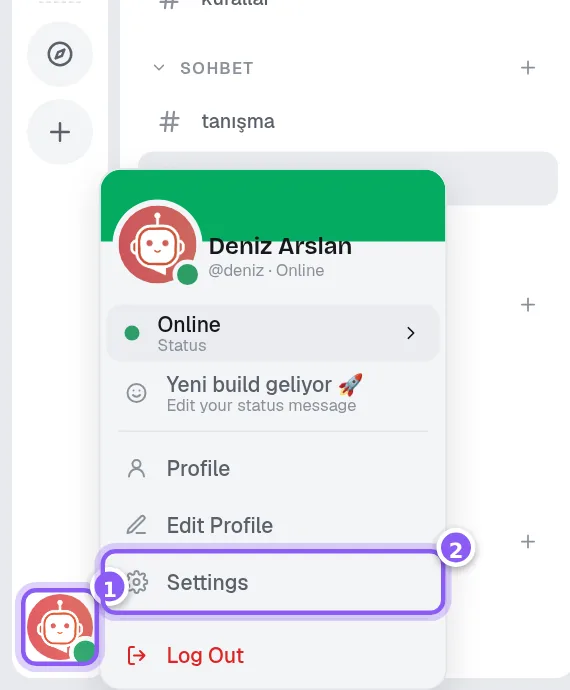
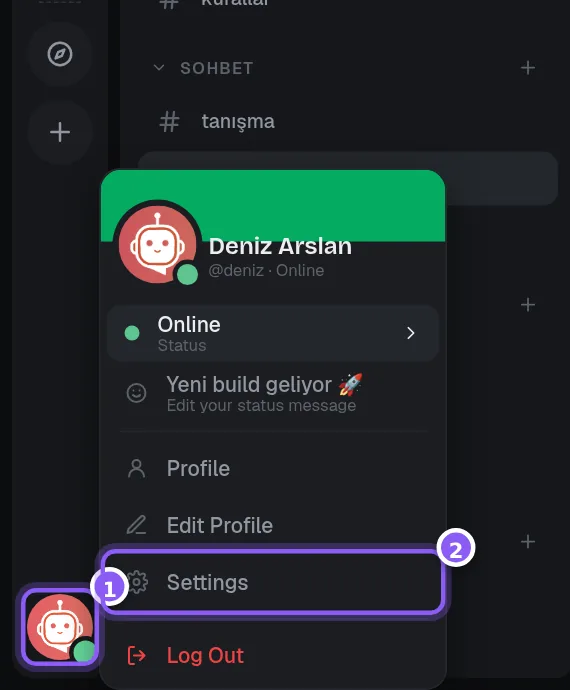
Open Settings
Click your avatar at the bottom of the left rail (1) and choose Settings (2).
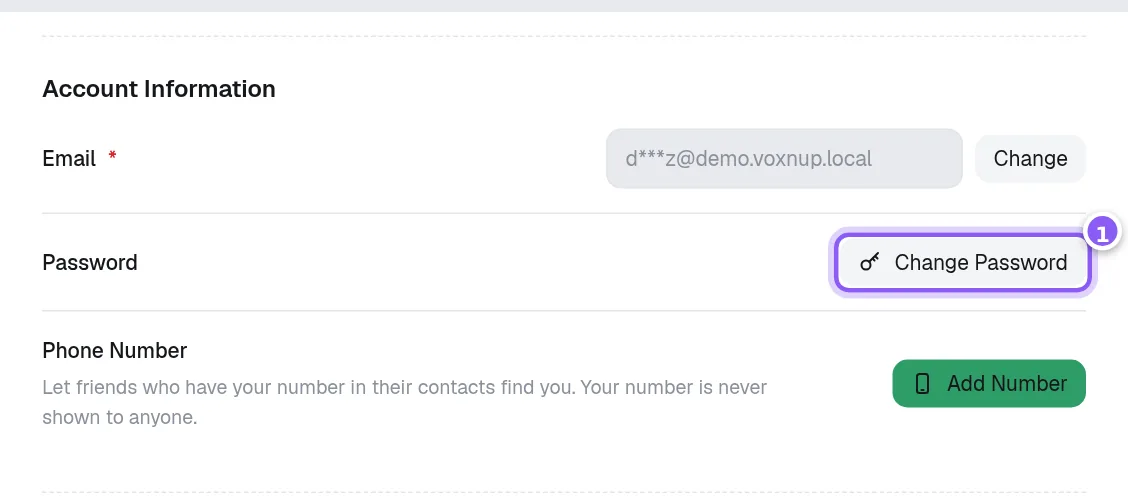
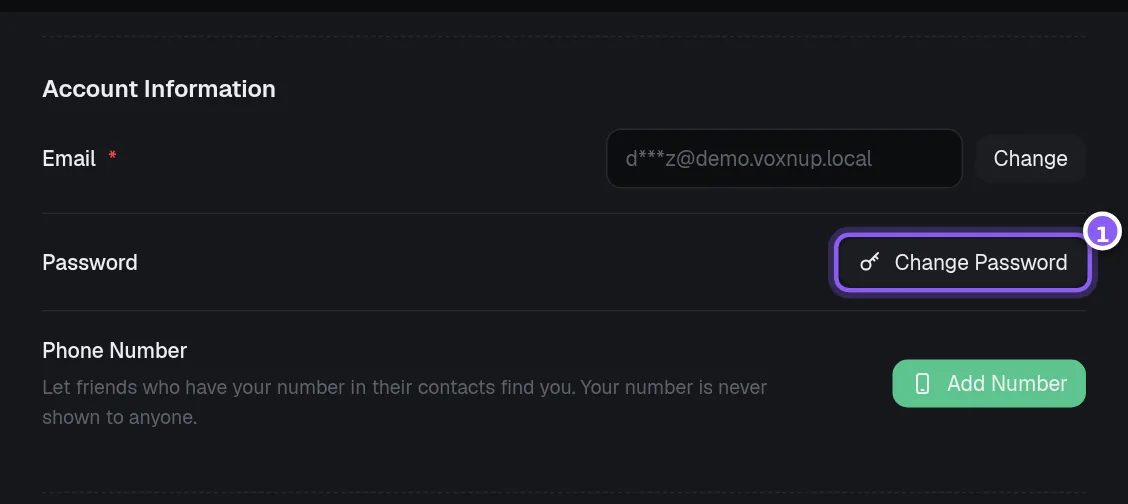
Press Change Password in Account Information
In the Account Settings tab, go to Account Information in the sub-list on the left. Press the Change Password button in the Password row.
Enter your current and new password
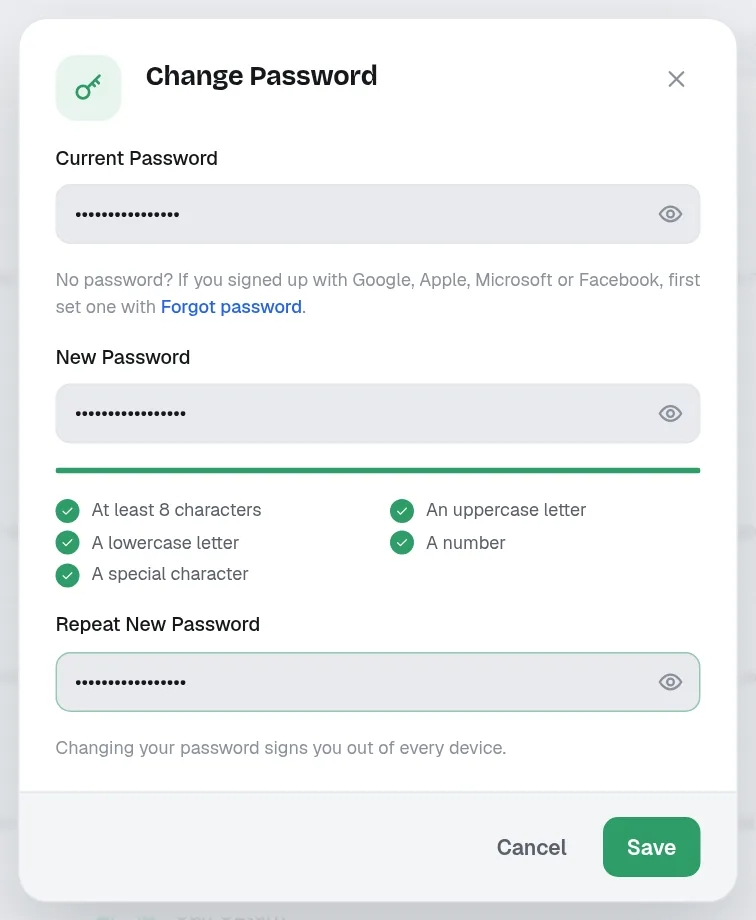
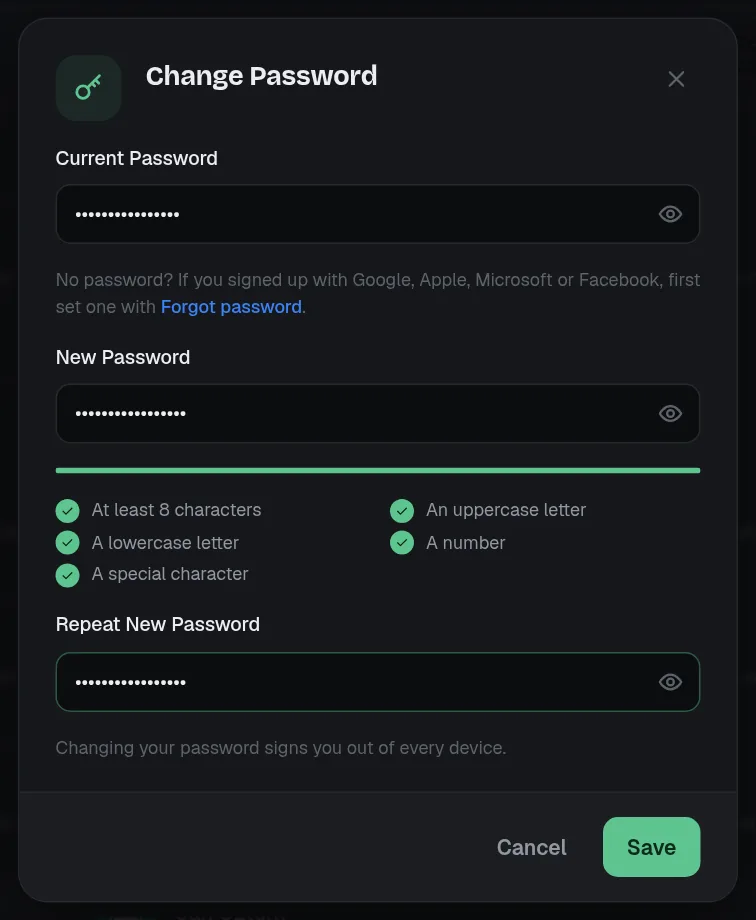
Type your current password in Current Password and your new password in New Password and Repeat New Password. Green check marks appear next to the rules as you type:
- At least 8 characters
- An uppercase letter
- A lowercase letter
- A number
- A special character
Save and sign in again
Press Save. As the window says, changing your password signs you out on all devices; you are taken to the sign-in screen. Sign in with your new password on your phone and in the desktop app too.
The current password can be entered wrongly at most 5 times in 15 minutes. If you hit the limit you see "Too many attempts. Please wait a moment and try again."; wait 15 minutes or reset your password.
If you signed up with Google, Apple, Microsoft or Facebook, you have no current password you know. As the window also says, set one first with Forgot password.
Frequently asked questions
I don't remember my current password
You can't change it in Settings; set a new password with the link from Forgot password.
Why was I signed out everywhere after changing my password?
For security: if someone got hold of your password, their open sessions are closed too. This includes your phone, the desktop app and "Remember Me" sessions.
How do I make my account more secure?
Turn on two-factor authentication and close sessions you don't recognise in Devices.