
How do I download my Voxnup data?
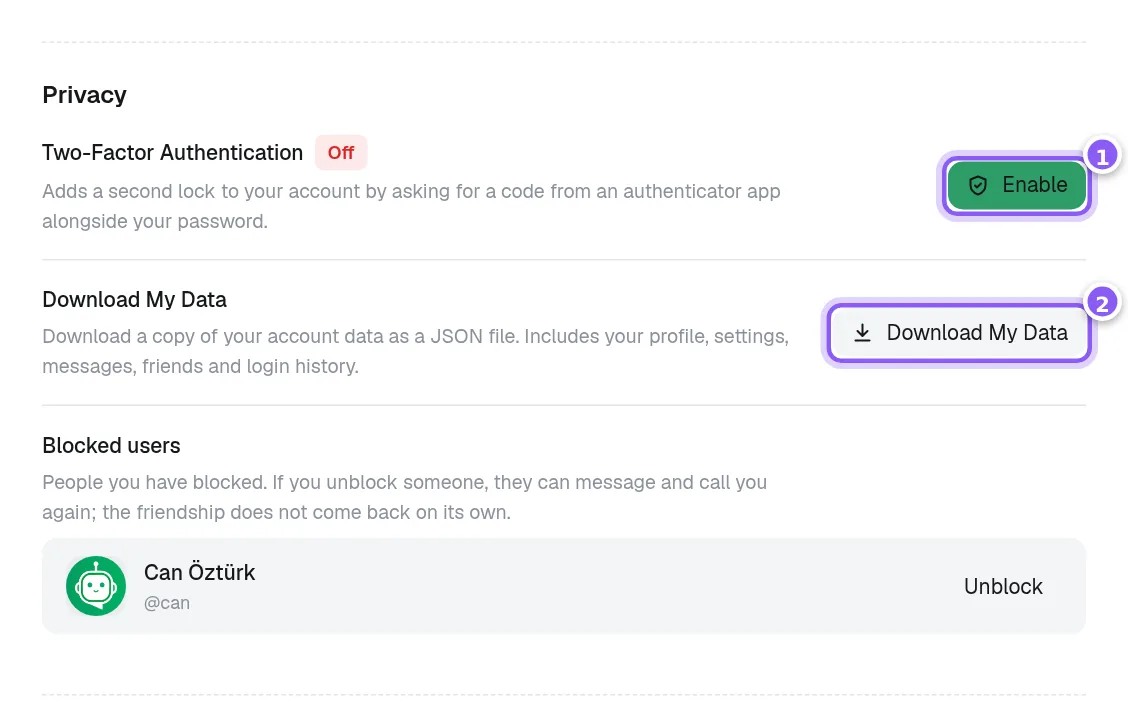
In Settings > Account Settings > Privacy, press Download My Data. Your browser downloads a file named voxnup-verilerim-YYYY-MM-DD.json. It contains your profile, settings, sign-in history, devices, the messages you sent, your friends, friend requests, blocked users and channel memberships. You can download it at most 3 times a day.
Download your data
Open the Privacy section
Click your avatar at the bottom left, choose Settings and scroll to Privacy in Account Settings.
Press Download My Data
Press the Download My Data button in its row (2). The file downloads within a few seconds.
What is in the file?
| Section | Contents |
|---|---|
| profil | Display name, username, email, status message, About Me and your other account details. |
| ayarlar | Your notification, theme and privacy preferences. |
| giris_gecmisi | The devices, browsers and approximate locations you signed in from. |
| cihazlar | Your mobile devices registered for notifications. |
| mesajlar | The messages you sent. |
| arkadaslar, arkadaslik_istekleri | Your friend list and requests. |
| engelledigim_kullanicilar | The people you blocked. |
| kanal_uyelikleri | The channels you are a member of. |
The file is JSON; you can open it in any text editor or browser. The section names in the file are in Turkish (as listed above). Security details such as your password or two-factor key are not included.
Frequently asked questions
I get "Too many attempts"
Your data can be downloaded at most 3 times in 24 hours. Try again the next day.
Should I download my data before deleting my account?
Yes, if you want it. You can't download this file after your account is deleted. See Delete your account.