
People can't hear me on Voxnup: step-by-step fix
If nobody can hear you, check these in order: 1) is the microphone icon in the voice panel crossed out (you muted yourself), 2) is it red and locked (a moderator muted you or you have no permission to speak in the room), 3) is the right Input Device selected in Settings > Voice, 4) does the level bar move in Test Microphone, and is the Input Range set too high, 5) are you a listener in a stage room. One of these fixes it in most cases.
Step-by-step check
Make sure you haven't muted yourself
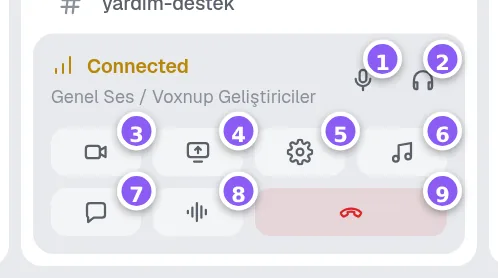
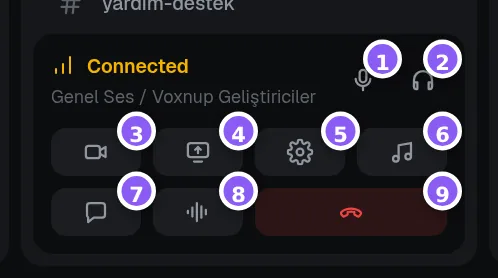
If the microphone icon (1) in the voice panel at the bottom left is crossed out, your microphone is off; click it or press Ctrl+Shift+M. If the headphone icon (2) is crossed out, you're deafened; deafening also turns off your microphone. Clicking the headphones turns both back on.
Check for a moderator mute or a room permission
If the microphone button is red and locked, click it to see why:
- "A moderator muted you in this room." Someone with permissions muted you in this room. Only that channel's moderators can lift it; when they do, you get a "… unmuted you." notification.
- "You don't have permission to speak in this room." Your role has no Speak permission in this room. Ask the channel admin for it: Roles and permissions.
- "Your voice is not being transmitted. Raise your hand to request to speak." You're a listener in a stage room. Press Raise Hand; once a moderator makes you a speaker, your voice goes through. See Stage rooms.
Select the right input device and test it
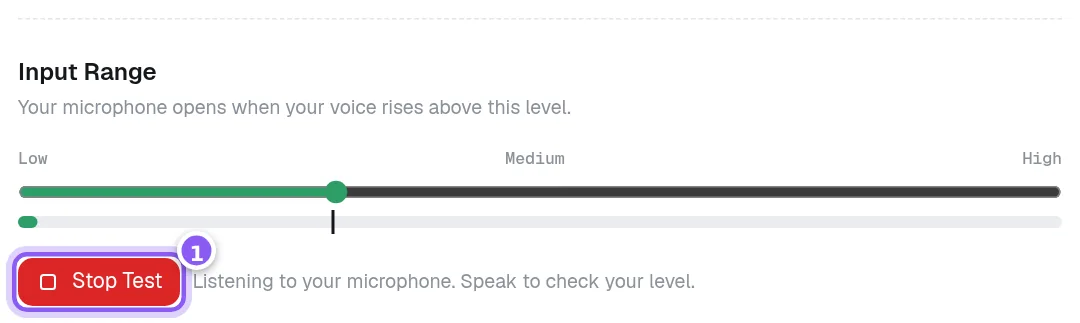
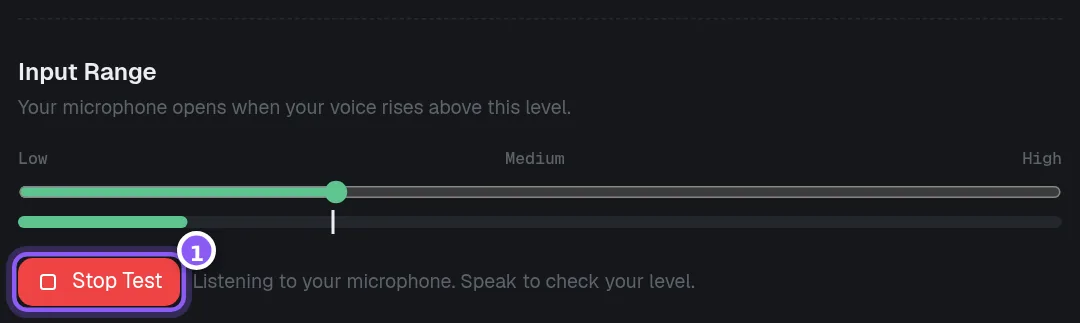
Your avatar → Settings → Voice. Pick the microphone you speak into in Input Device, and make sure Input Volume isn't at zero. Then press Test Microphone and talk: the level bar below should move. If it doesn't move at all: Microphone not detected.
Lower the Input Range
Input Range sets the level your voice has to reach before it's sent: "Your microphone opens when your voice rises above this level." If, during the test, the level bar never passes the marker (the vertical line) while you talk, your voice is never sent; move the slider to the left (towards Low). Lower it a little too if your voice cuts out or the start of your words gets lost. The setting applies every time you join and immediately while you're in a room.
Check Push to Talk (desktop app)
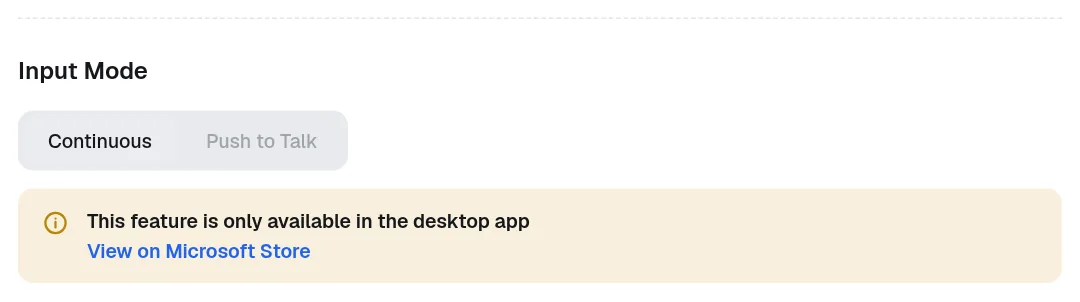
If Input Mode is set to Push to Talk, your voice only goes through while you hold the assigned key. If no key is assigned, Voxnup detects your voice automatically and shows: "Push to Talk is selected but no key is assigned. Your voice is detected automatically for now; assign a Push to Talk key in Settings > Key Bindings." There's no Push to Talk in the browser; your voice is always detected automatically. See Push to Talk.
Check the voice gate button
While the waveform button in the voice panel (Toggle Voice Gate) is on, sound below the Input Range is cut. If you turn it off, your microphone stays open and the Input Range is ignored. If you speak quietly and your voice never goes through, try turning this button off.
Check the microphone level in Windows
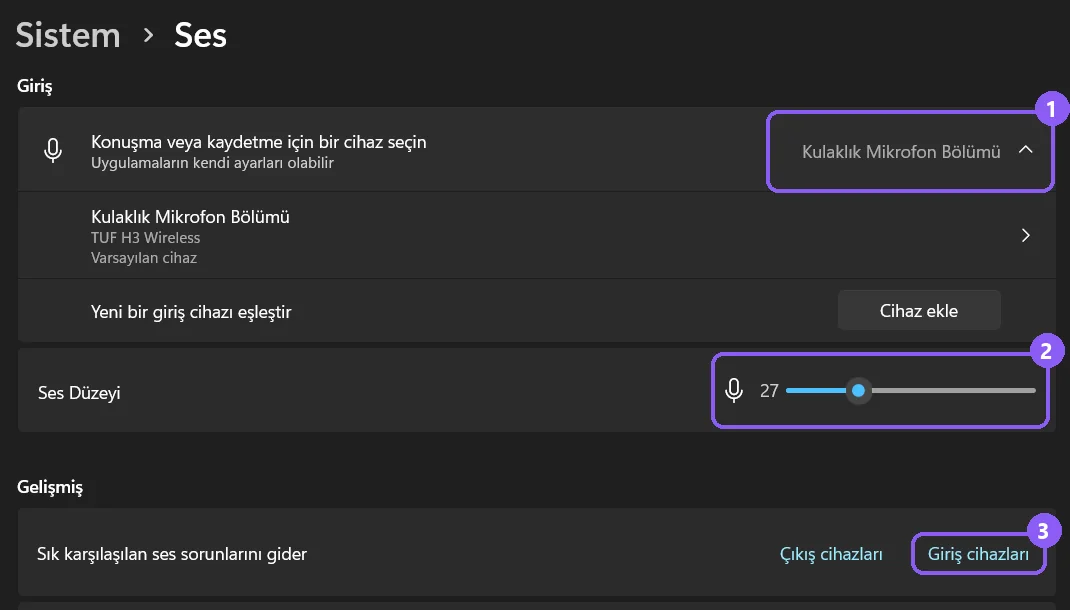
If your microphone's Volume under Windows Settings > System > Sound > Input is very low, Voxnup barely hears you. Raise it to 70–100.
If there's a yellow triangle next to your own name with "Couldn't start your voice stream.", the problem isn't your microphone but the connection: Can't connect to voice.
Frequently asked questions
The bar moves in the microphone test but people still can't hear me. Why?
If the Input Range marker is to the right of where the bar reaches, nothing is sent; move the slider to the left. Also check that you have permission to speak in the room and aren't muted. If all of that is fine, it may be a connection problem: connection guide.
If a moderator muted me, can I unmute myself?
No. A moderator mute only applies in that room, and only someone with the Mute Members permission can lift it. You can talk again when you move to another room.
My voice goes through but it's very quiet. What should I do?
Raise Input Volume in Settings > Voice and the microphone level in Windows, and turn on Automatic Gain Control. Details: Audio quality problems.