
I can't hear anyone on Voxnup
If you can't hear anyone, first check whether the headphone icon in the voice panel is crossed out (you're deafened). Then, in Settings > Voice, make sure Output Device is the headphones or speakers you listen with and Output Volume isn't at zero. If you can't hear just one person, right-click them: Mute for me may be on or their Volume may be at zero.
If you can't hear anyone
Turn off deafen
If the headphone icon (2) in the voice panel is crossed out, click it or press Ctrl+Shift+D. If the icon is semi-transparent, a moderator deafened you in this room; clicking it shows "A moderator deafened you in this room." and only someone with permissions can lift it.
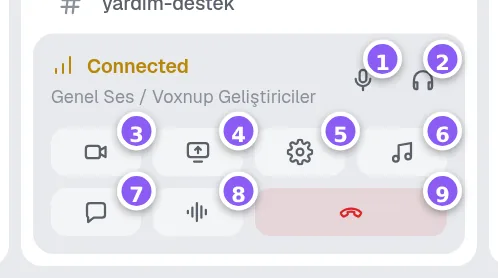
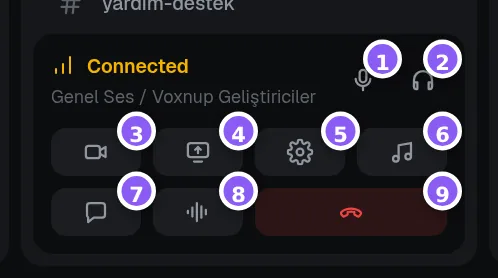
Check Output Device and Output Volume
Your avatar → Settings → Voice. Output Device (2) must be the headphones or speakers you want to hear through; if you're not sure, pick Default device. Output Volume below it must not be at zero.
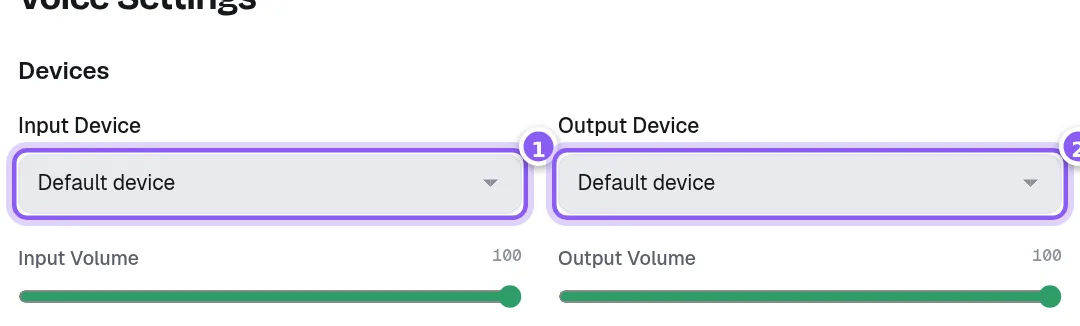
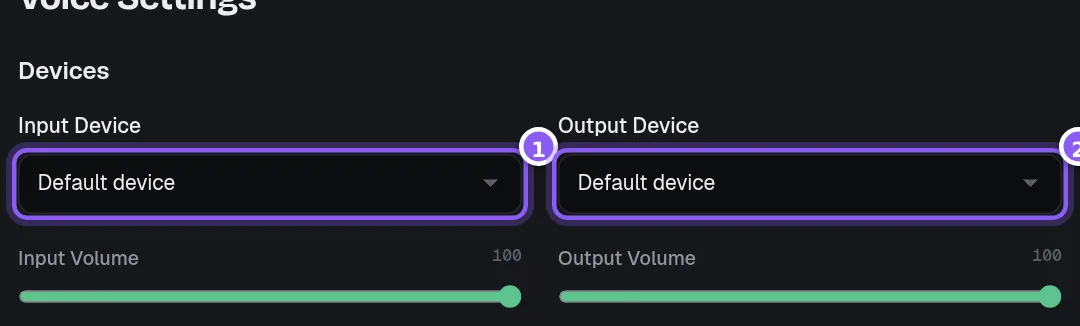
Check the output device and volume in Windows
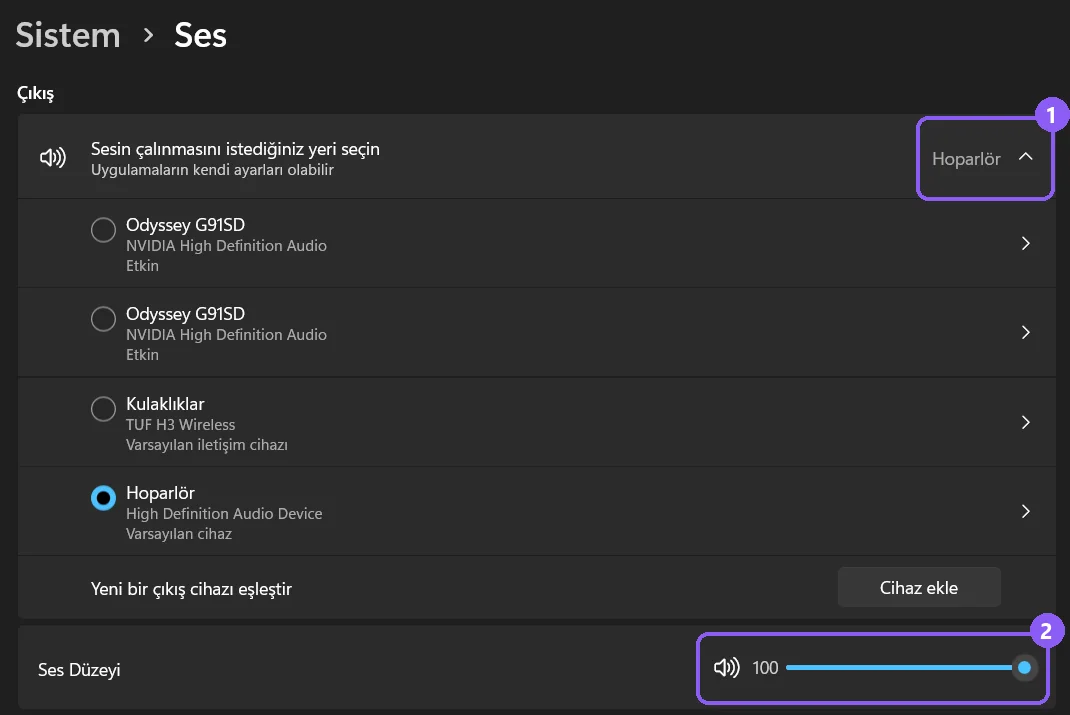
Windows Settings > System > Sound: under Output, the device you listen with must be selected (1) and Volume must be up (2). Also check that the overall sound isn't muted from the speaker icon in the taskbar. Wireless headsets sometimes show up separately, like "Headphones (Default communication device)" and "Speakers (Default device)"; pick the same device in both Voxnup and Windows.
If you use Firefox or Safari
In these browsers Voxnup's Output Device choice can't be applied; sound always comes through the system default output device. To hear sound on a different device, change the default output in Windows (on a Mac, in System Settings > Sound), or use Chrome, Edge or the desktop app.
Check your connection
If the voice panel says "Waiting for Socket" instead of "Connected", or there's a connection warning at the top of the screen, the problem is the network: Can't connect to voice.
If you can't hear just one person
Right-click the person
Right-click their name in the participants list of the voice room, or under the voice room in the channel's room list. If Mute for me ("Only you stop hearing them") is on, turn it off. If the Volume slider is at zero, raise it; it goes from 0% to 200%. These settings are stored only on your device, and the other person doesn't see them. Details: Per-user volume.
Check whether they're muted
A grey crossed-out microphone next to their name means they muted themselves; a red microphone means a moderator muted them. If everything is fine on your side, send them the People can't hear me guide.
While someone with the Priority Speaker permission talks in a room, everyone else's volume is temporarily lowered on your side (to 25%). This isn't a bug, it's what that permission does.
Frequently asked questions
Why does Voxnup play through my speakers and not my headphones?
Speakers may be selected in Settings > Voice > Output Device. Pick your headphones. This choice doesn't work in Firefox and Safari; make your headphones the default output in Windows.
Can I lower one person's volume just for me?
Yes. Right-click the person → adjust the Volume slider or turn on Mute for me. Nobody else is affected.
The sound is choppy. What should I do?
It's usually the network. Try the steps in the connection guide; a wired connection or being closer to your router is often enough.