
Echo, background noise, robotic or quiet audio: Voxnup audio quality settings
Audio quality settings are in Settings > Voice > Voice Processing. For echo, use headphones and keep Echo Cancellation on. For background noise (fan, keyboard, street), turn on Advanced Noise Suppression. For a quiet voice, turn on Automatic Gain Control and raise Input Volume. If the start of your words gets cut off, lower the Input Range. Robotic or choppy audio usually comes from the network.
Voice Processing settings
Your avatar → Settings → Voice → Voice Processing. Changes apply immediately, even while you're in a voice room.
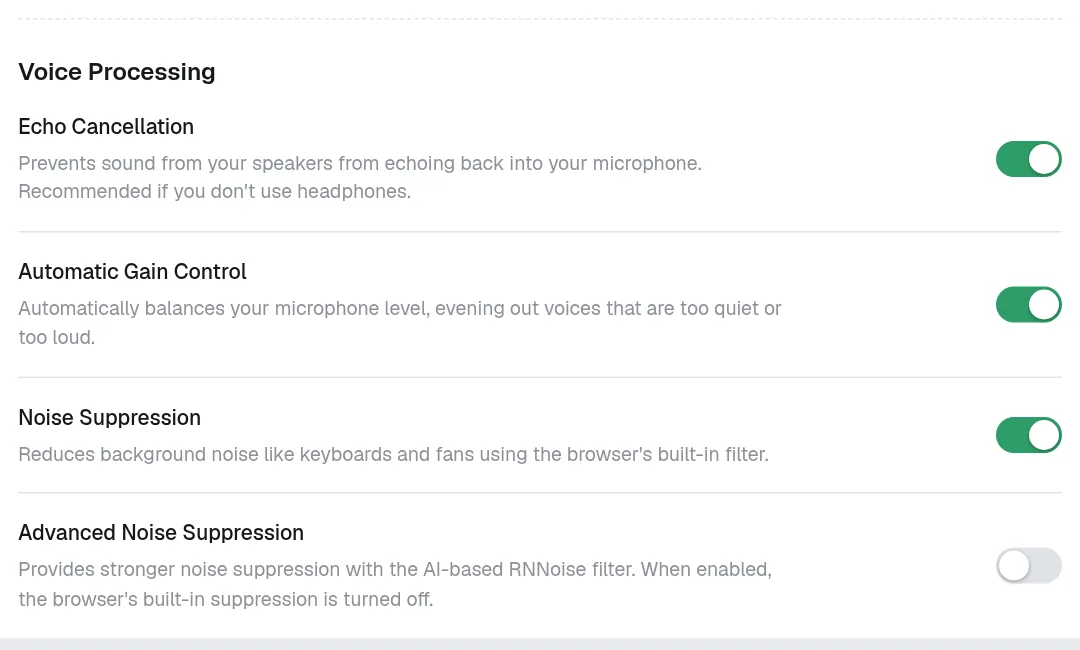
| Setting | What it does | Default | When to turn it on/off |
|---|---|---|---|
| Echo Cancellation | Stops sound from your speakers from getting back into your microphone and reaching others as an echo. | On | Always keep it on if you talk over speakers. It can stay on with headphones too. |
| Automatic Gain Control | Balances your microphone level automatically: boosts a quiet voice, lowers it when you shout. | On | Keep it on if your voice is sometimes very quiet and sometimes very loud. You can turn it off with a professional microphone. |
| Noise Suppression | The browser's built-in noise filter; reduces steady hum. | On | Enough for everyday use. |
| Advanced Noise Suppression | AI-based RNNoise filter; cleans noises like typing, fans or a barking dog more strongly. | Off | Turn it on in a noisy place. Turning it on switches regular Noise Suppression off; the two don't run together. |
What to do for each problem
Others hear their own voice as an echo
The echo usually comes from the person who doesn't hear it: sound from their speakers is getting into their microphone. That person should wear headphones and turn on Echo Cancellation. If two devices are open in the same room (e.g. a phone and a computer), close one.
Background noise comes through
Turn on Advanced Noise Suppression. You can also raise the Input Range slightly so that nothing is sent while you aren't talking.
The start or end of words gets cut off
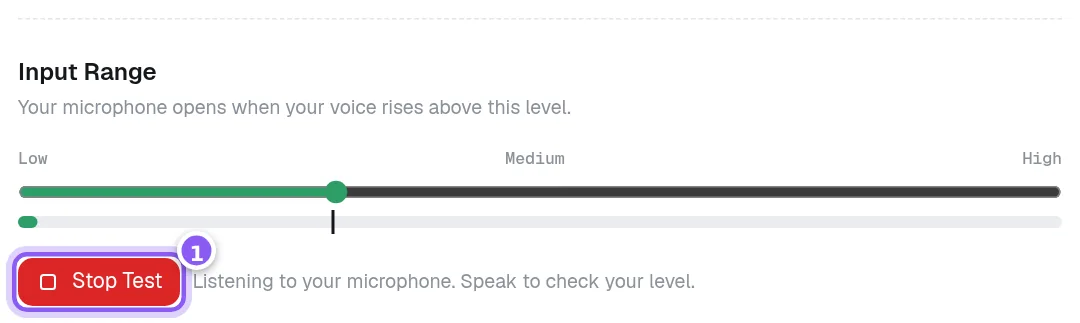
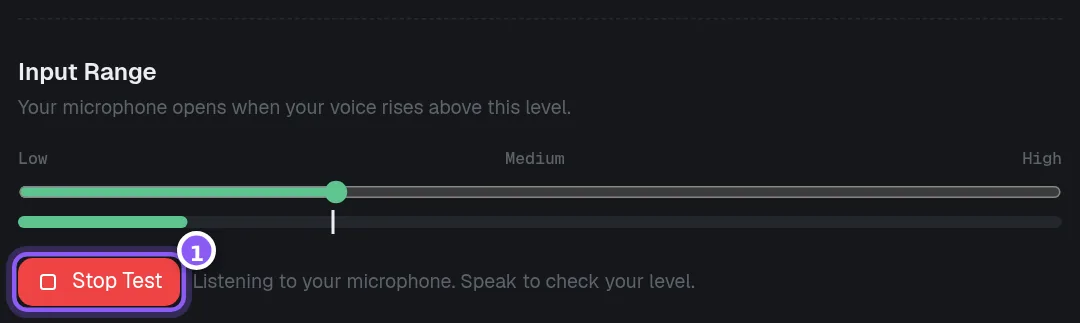
The Input Range is too high. Press Test Microphone and move the slider to the left until, at a normal speaking volume, the level bar comfortably passes the marker. Voxnup keeps the microphone open for 1.2 seconds after you stop talking, so the ends of sentences aren't cut off.
My voice is very quiet
Raise Input Volume, turn on Automatic Gain Control, and check the microphone Volume in Windows (Settings > System > Sound > Input).
Audio is robotic, choppy or metallic
This is usually the network (packet loss). Use a wired connection, turn off your VPN, pause big downloads. See Connection problems. If your computer is heavily loaded (game + stream), also try turning off Advanced Noise Suppression.
Audio is very bad on a Bluetooth headset
Most Bluetooth headsets switch to a low-quality "phone" mode while their microphone is in use; both what you hear and what you send get worse. Windows usually shows this as a separate device ("Headphones", "Headset Microphone"). For better audio, you can use your computer's own microphone or a wired one and keep the headset for listening only.
Frequently asked questions
What's the difference between Advanced Noise Suppression and regular Noise Suppression?
Noise Suppression is the browser's built-in filter and works well against steady hum. Advanced Noise Suppression is an AI-based RNNoise filter that also removes sudden noises like typing and barking. They can't both be on.
Why are my voice settings different on another computer?
Voice settings are stored in the browser or on the device you use, not in your account. You need to set them on each device.