
How do I set a nickname for one channel?
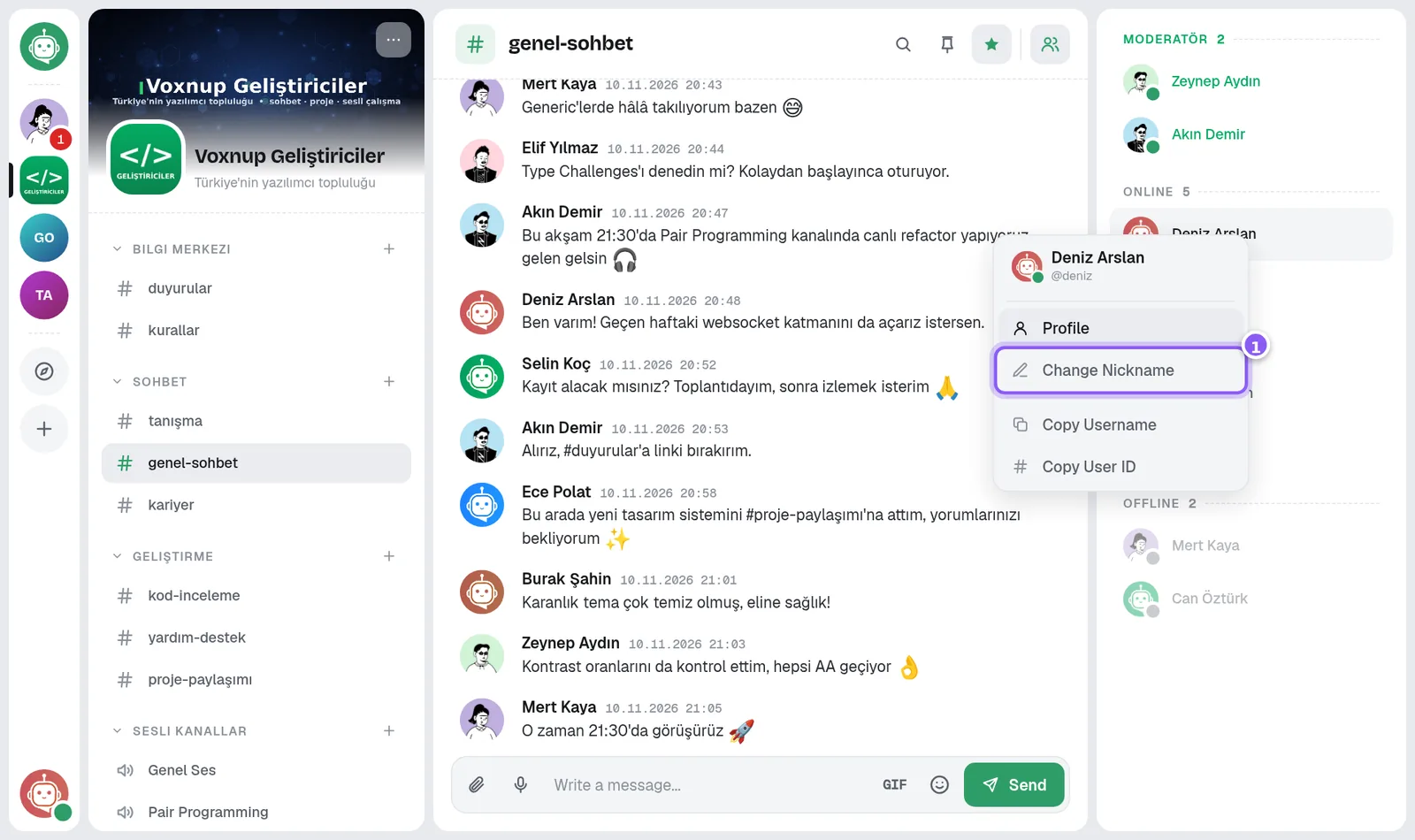
Right-click your own name in the channel's member list on the right and choose Change Nickname. The Nickname you type is shown only in that channel and must be 2 to 32 characters long. To go back to your display name, leave the field empty and save. You need the Change Nickname permission in the channel (everyone has it in new channels).
Changing your own nickname
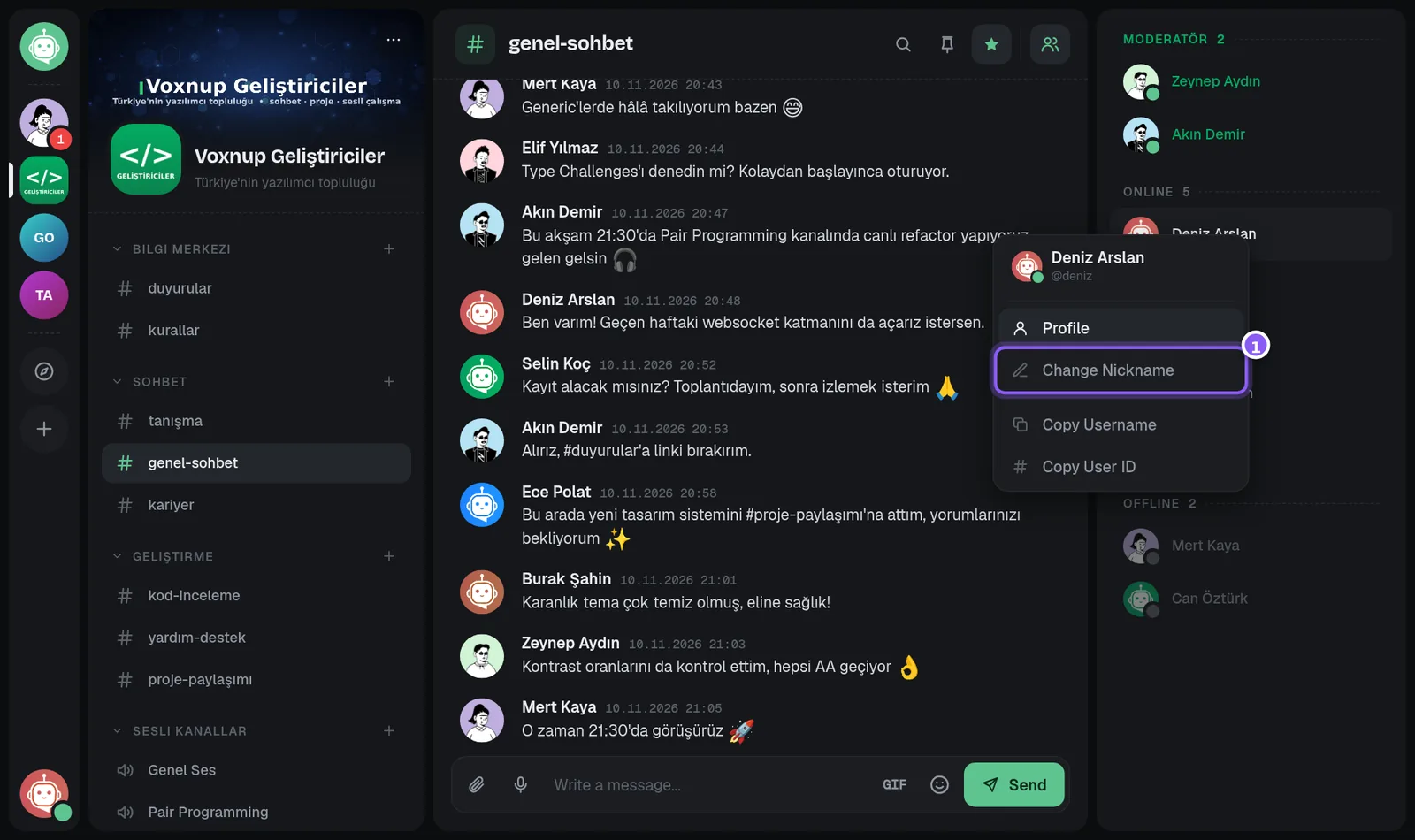
Right-click your name in the member list
Choose Change Nickname in the menu.
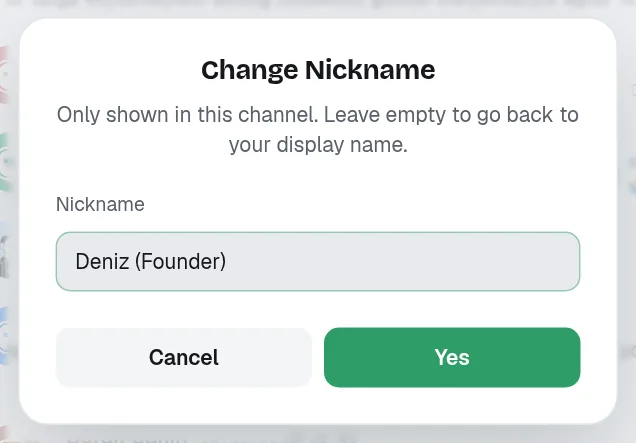
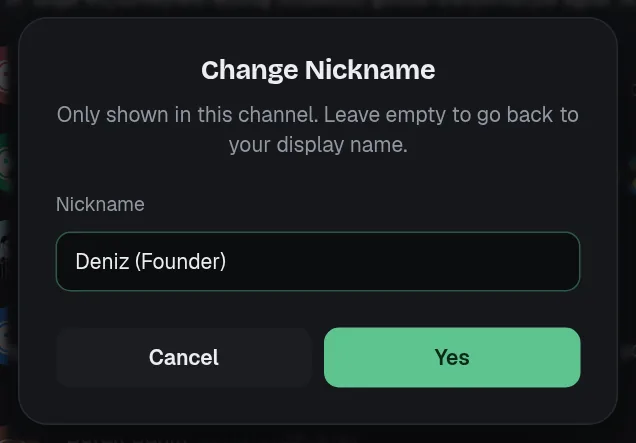
Type the nickname and save
The window says "Only shown in this channel. Leave empty to go back to your display name.". Type the nickname and confirm; a "Nickname saved." notification appears.
Changing another member's nickname
Right-click the member and choose Change Nickname in the Moderation section. You need the Manage Nicknames permission, and the member's highest role must be lower than yours. Changing someone else's nickname is recorded in the channel's Audit Log.
Frequently asked questions
Is my nickname shown in other channels?
No. A nickname only shows in the channel where you set it. Your display name is used in other channels, in direct messages and on your profile.
How do I remove my nickname?
Open Change Nickname, leave the field empty and save.
It says "You don't have permission to change your nickname in this channel."
The channel admin has turned off the Change Nickname permission. Ask a channel admin.
Where do I change my display name everywhere?
Your display name for all of Voxnup is changed in the profile section of your user settings.