
How do I block a user and unblock them?
To block a user, right-click them (or click Block on their profile card), choose Block and click Block again in the confirmation window. A blocked person can't send you messages, call you or add you to groups; you don't see their messages in direct messages, channels or groups, and your friendship ends. The person is not told they were blocked. The list of people you blocked and the Unblock button are in Settings → Account Settings → Privacy → Blocked users.
Blocking
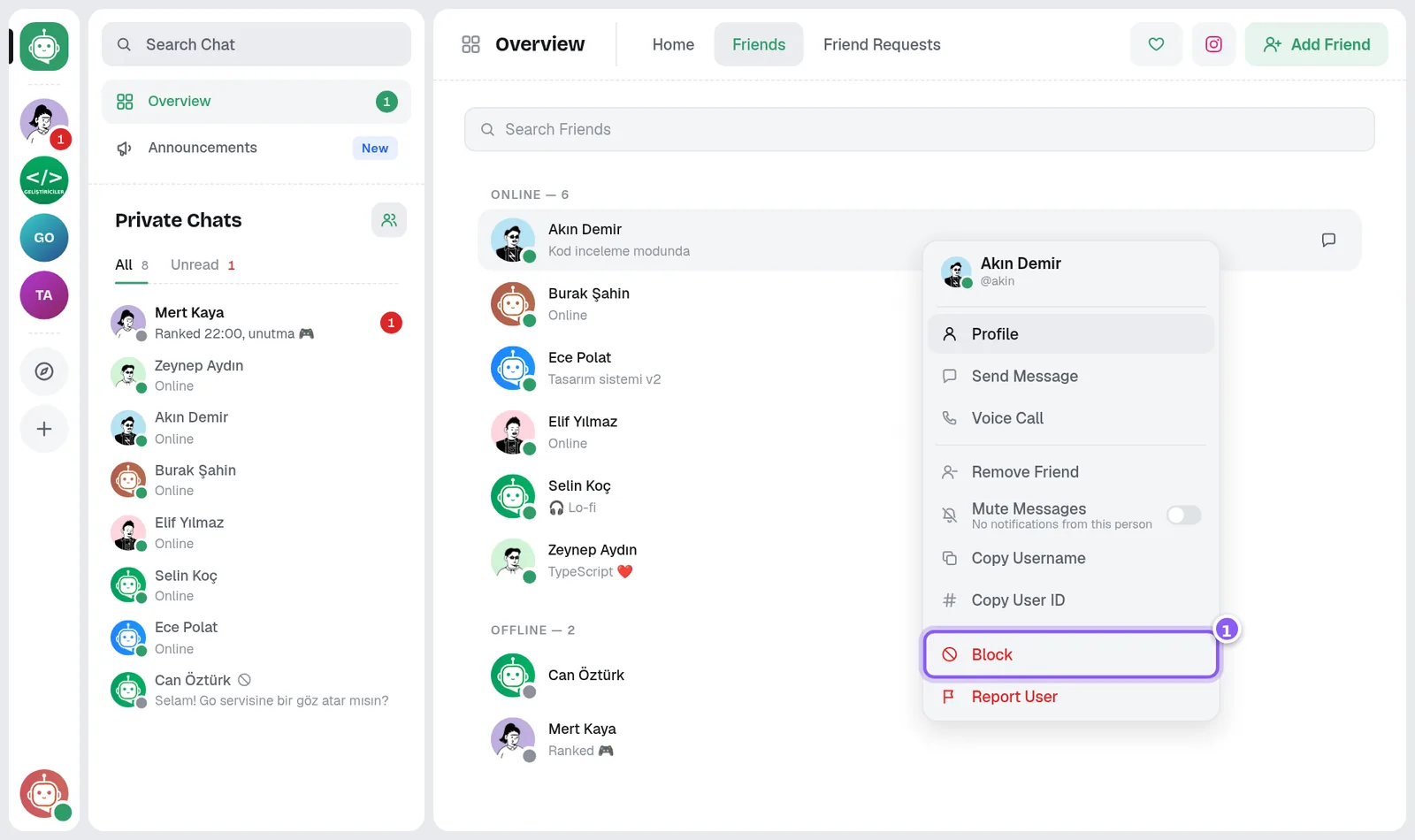
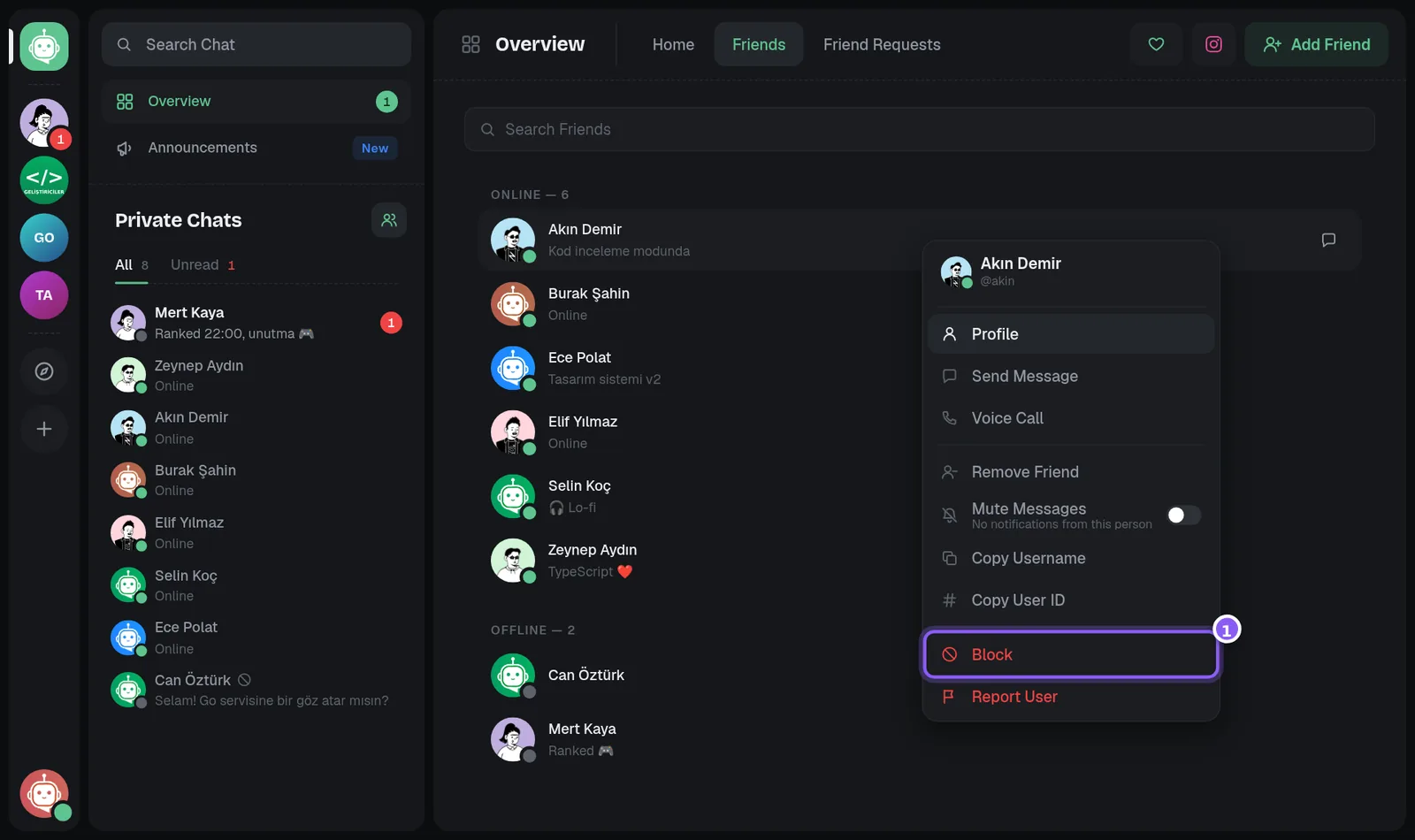
Right-click the person and choose Block
Right-click their name in your friends list, your direct messages list, a channel's member list or on a message. The profile panel on the right of a direct message also has a Block button.
Confirm
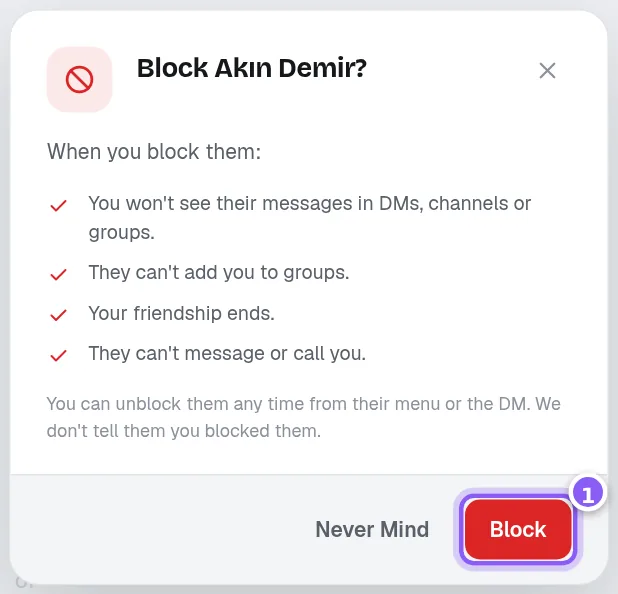
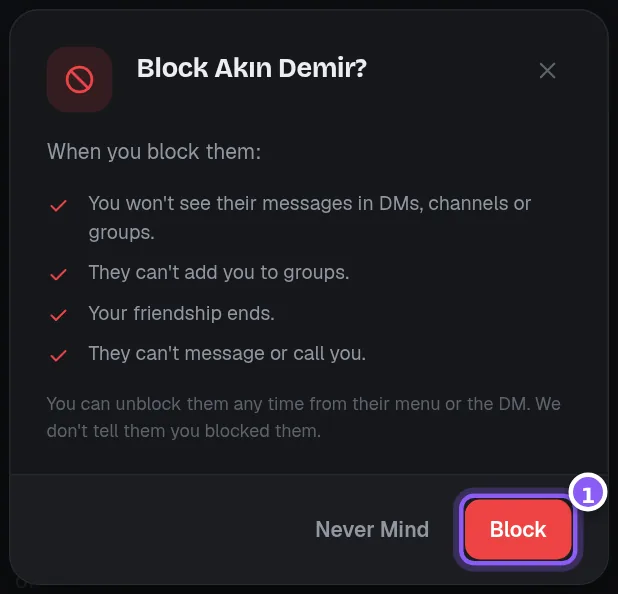
The window lists what blocking does. Click Block, or Never Mind to cancel.
What happens when you block someone?
- You don't see their messages in direct messages, channels or groups.
- They can't add you to groups.
- Your friendship ends and pending friend requests between you are deleted.
- They can't message you, call you or send you a friend request. You also can't message or call them until you unblock them.
- Your direct message history is not deleted; it comes back when you unblock them.
- The person is not told they were blocked.
Unblocking
Open the Blocked users list
Click your avatar at the bottom left → Settings → Account Settings and scroll down to the Privacy section. Everyone you blocked is listed under Blocked users.
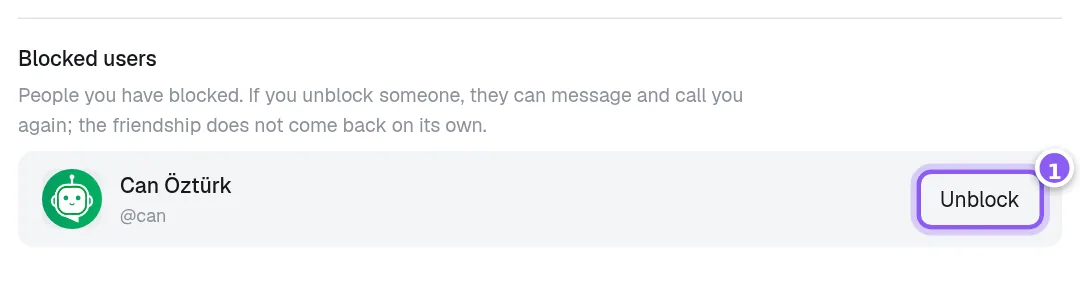
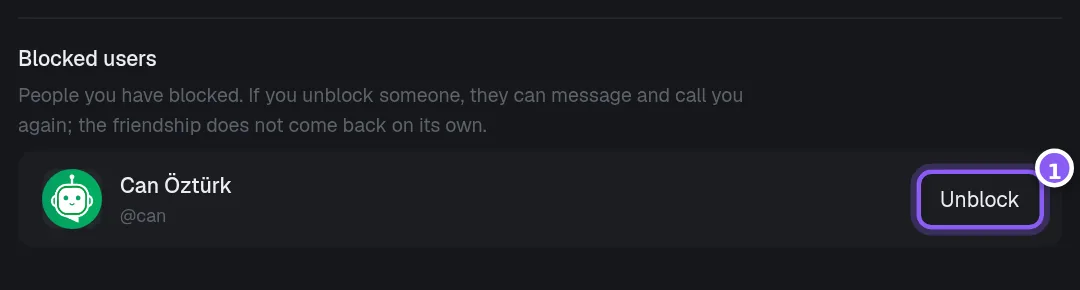
Click Unblock
The person leaves the list and can message and call you again. The friendship does not come back by itself; send a new friend request if you want. You can also unblock someone by right-clicking them and choosing Unblock, or with the "unblock them." link in your direct message with them.
If the person is breaking the rules, report them to the Voxnup team as well as blocking them: Reporting. Tick "Also block this user" in the report window to do both at once.
Frequently asked questions
Can a person I blocked still see me in the same channel?
Yes, you both stay members of shared channels; you just don't see their messages. To have them removed from a channel, contact the channel admins or the Voxnup team.
How can I tell if someone blocked me?
Voxnup doesn't tell you. If you can't message someone or you see "You can't send a friend request to this user." when adding them, there may be a block between you.
Can I block people from a guest account?
No. If you joined as a guest with an invite link, claim your account first.